Multilingual speaking voices
Hear AI in a voice
that feels familiar.
Choose from the speaking voices installed on your phone—from Indian English and Hindi to Spanish, French, Japanese, Korean, Chinese, and dozens of regional options. Preview the sound, pick one, and listen to AI responses your way.
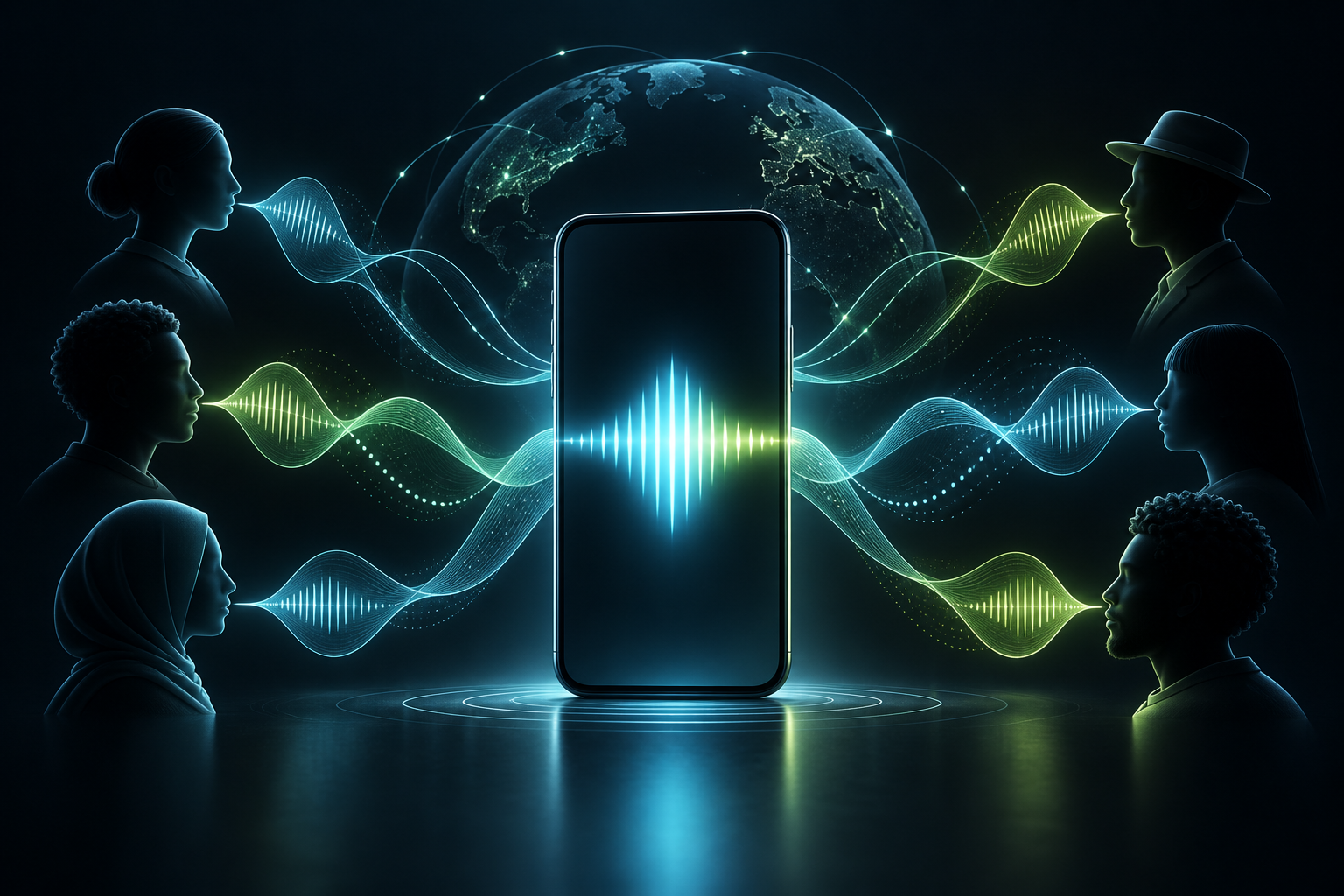
Choose a language or regional accent that is easier and more comfortable for you to follow.
Subra AI brings compatible installed system voices into one clear selection screen.
Downloaded system voices may work offline; availability depends on the selected voice and device.
How to change the AI voice
Listen first. Choose in four taps.
You do not need to guess which voice suits you. Preview the available options and change your selection whenever your language, context, or preference changes.
- 01
Open Speaking voice
Go to Subra AI’s voice setting to see the options available on your device.
- 02
Find your locale
Look for the language-and-region code you want, such as en-IN, es-MX, fr-CA, or pt-BR.
- 03
Tap to preview
Use the speaker button beside a voice to hear how it sounds before selecting it.
- 04
Select and listen
Turn on your preferred voice, then play AI responses aloud when reading is inconvenient.
Why a speaking voice matters
Turn screen time into listening time.
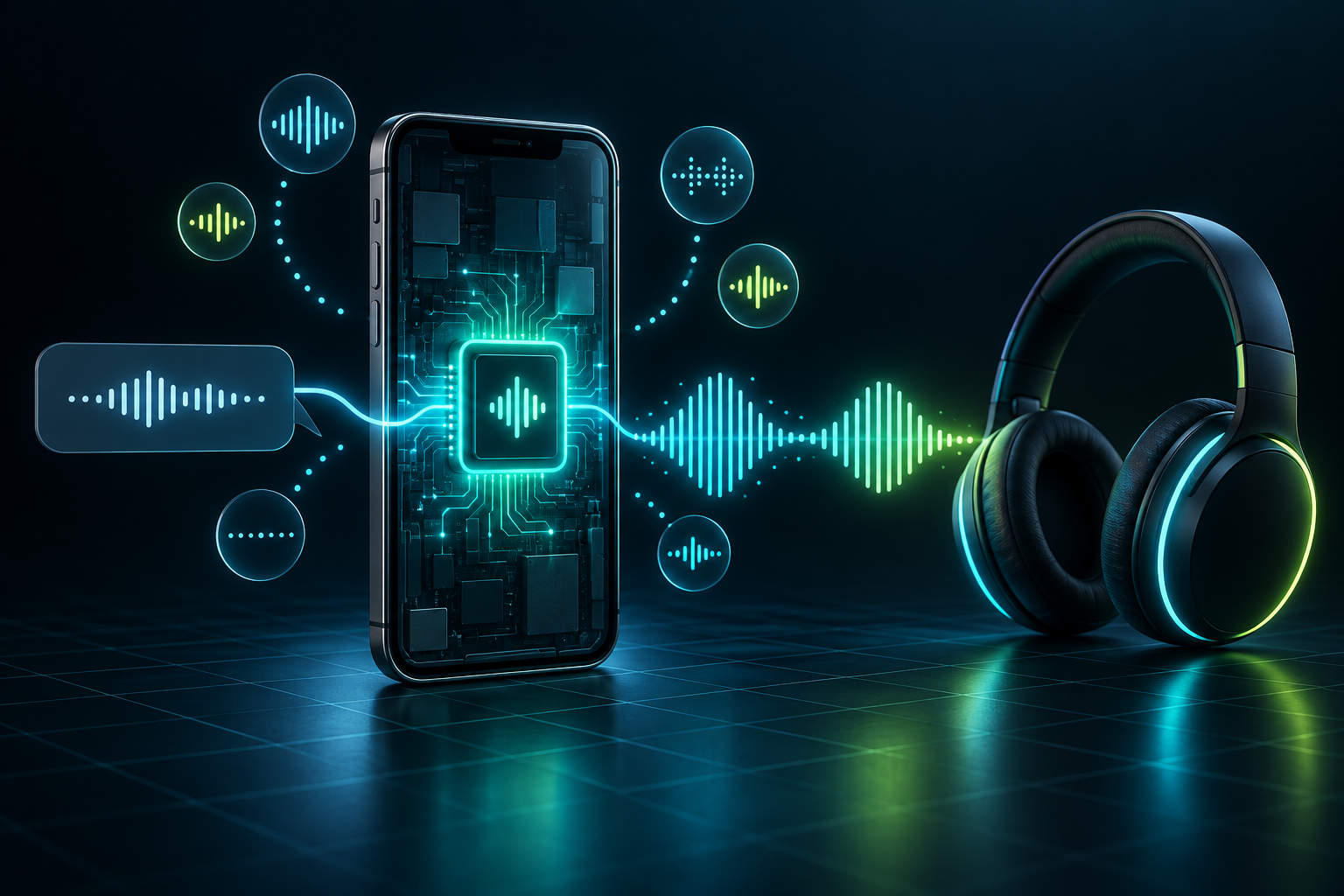
Hear a long explanation while cooking. Review notes on a walk. Listen when small text is uncomfortable. Practice how another language sounds. A voice option turns an AI response from something you must watch into something that can move with you.
- More accessible when listening is easier than reading
- More personal with familiar languages and regional accents
- More flexible for commutes, chores, study, and review
Countries, regions, languages and accents
Which AI speaking voices can I choose?
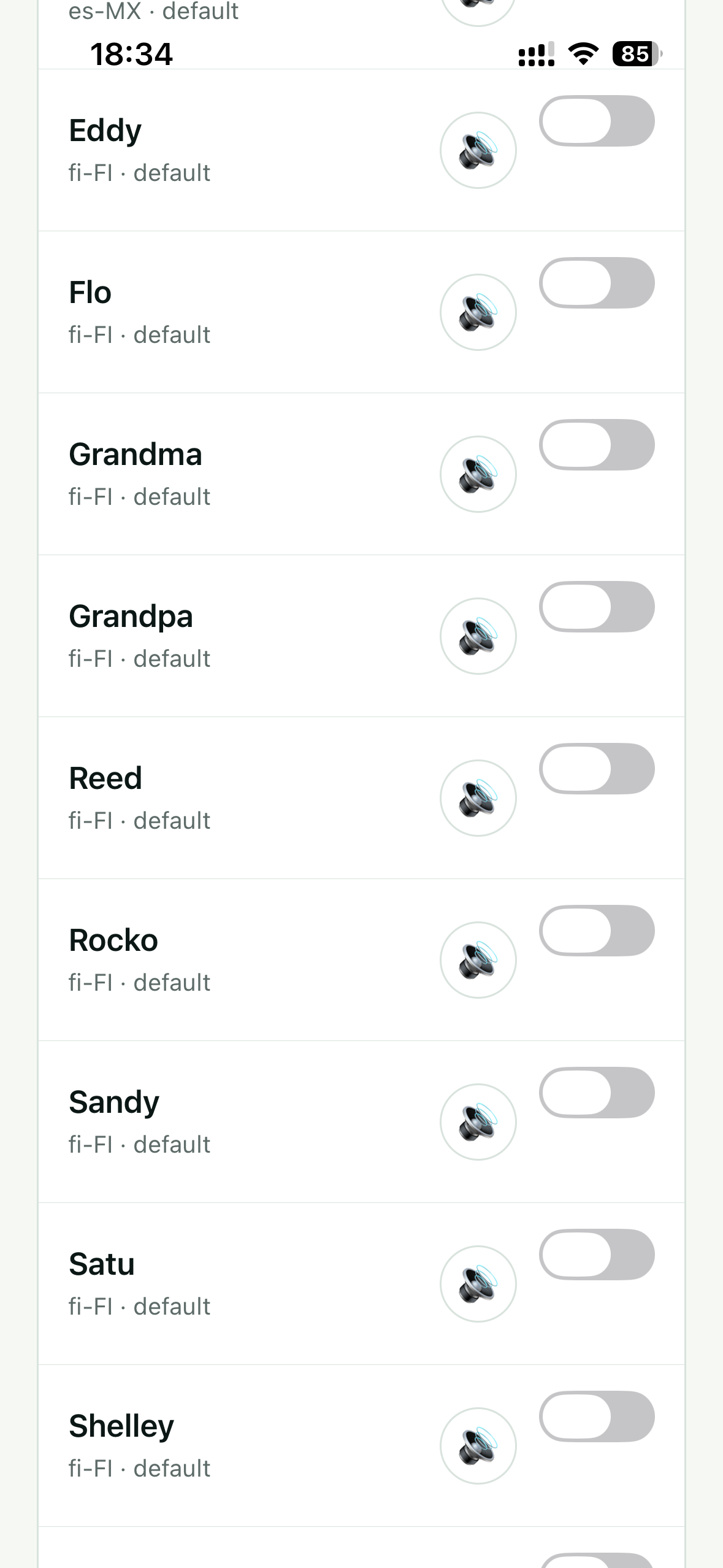
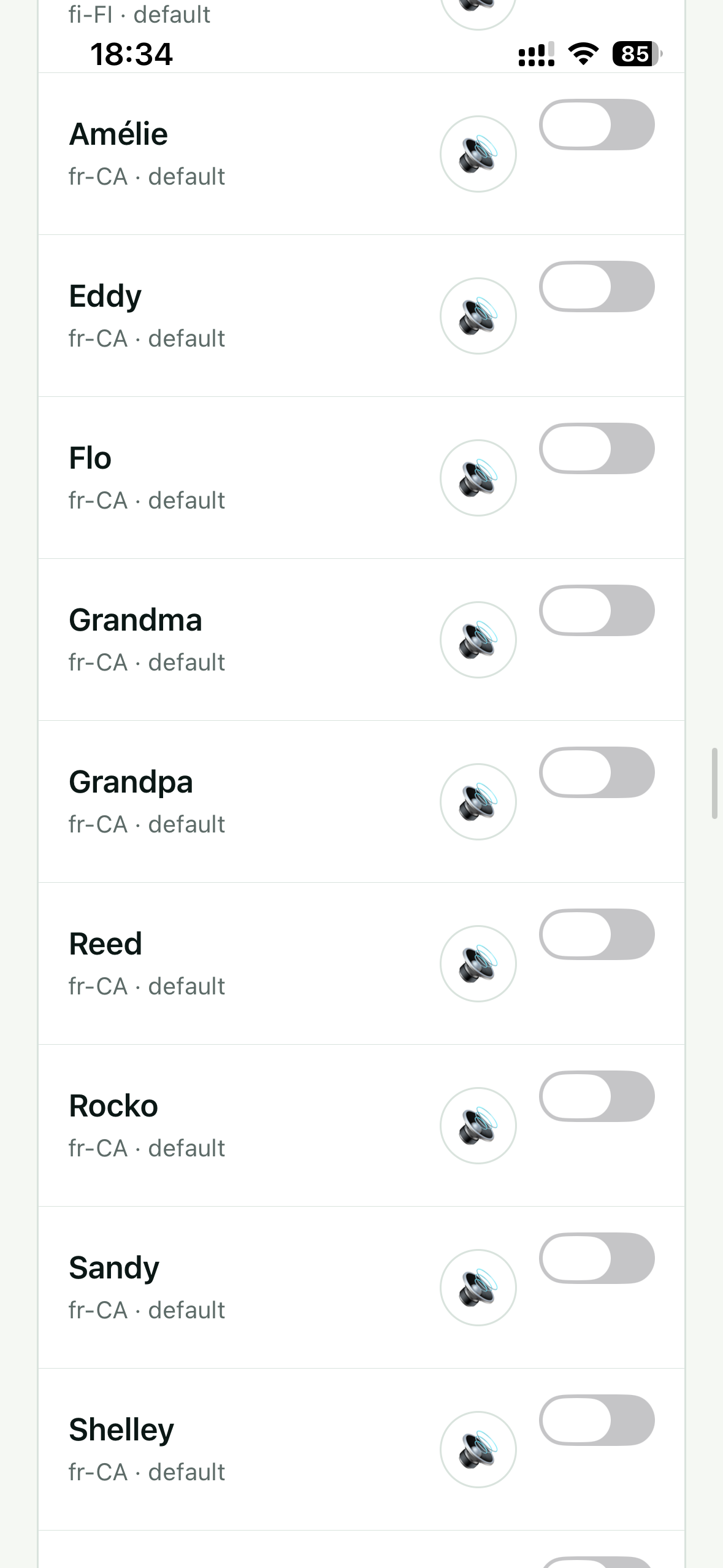
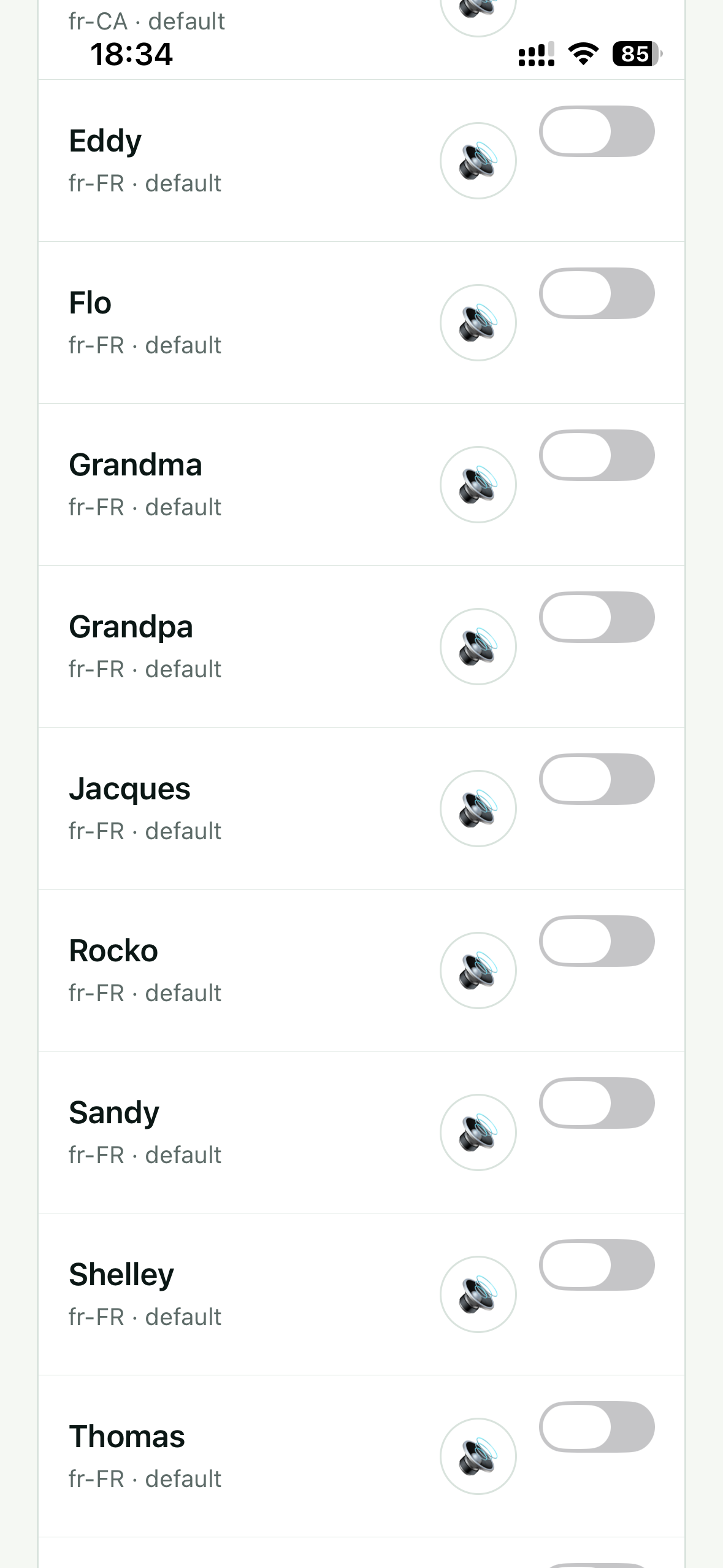
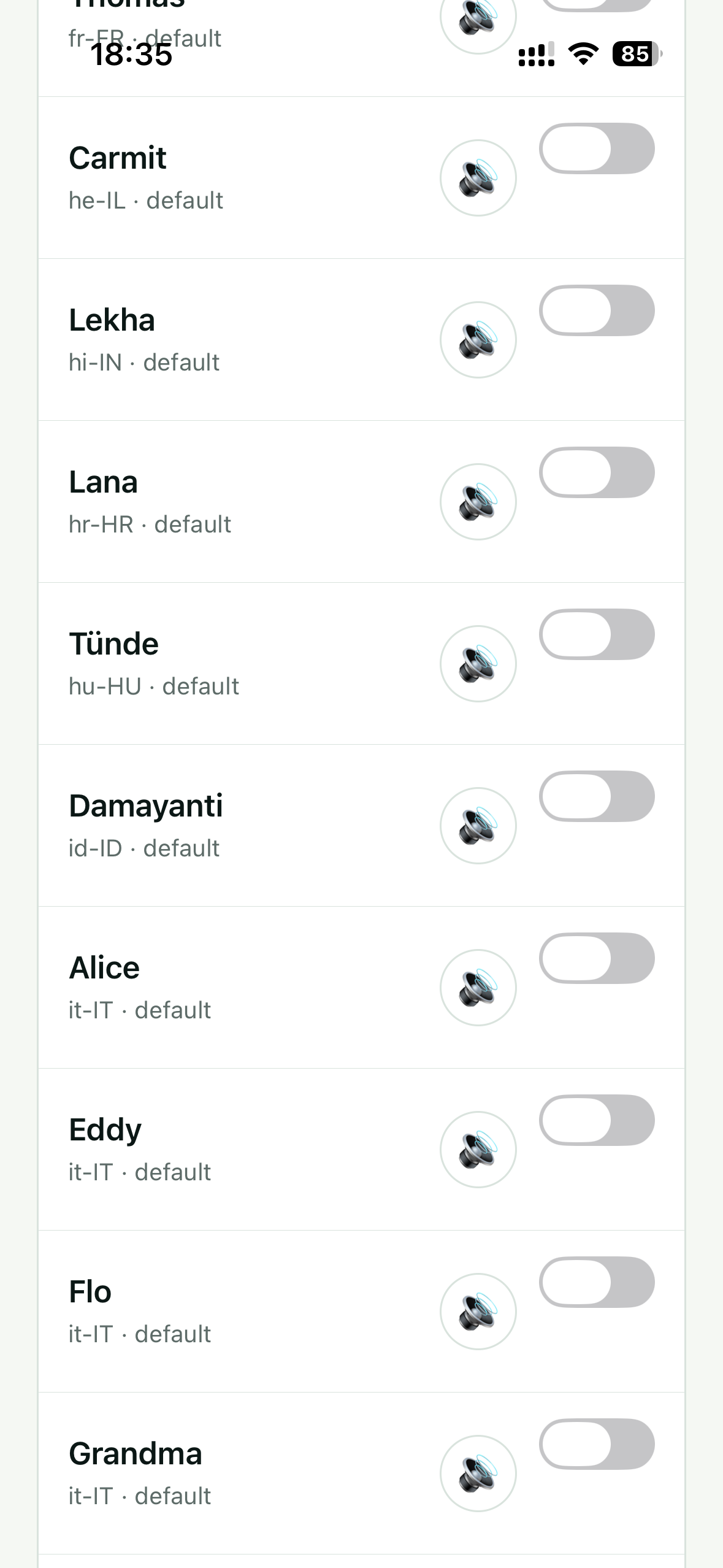
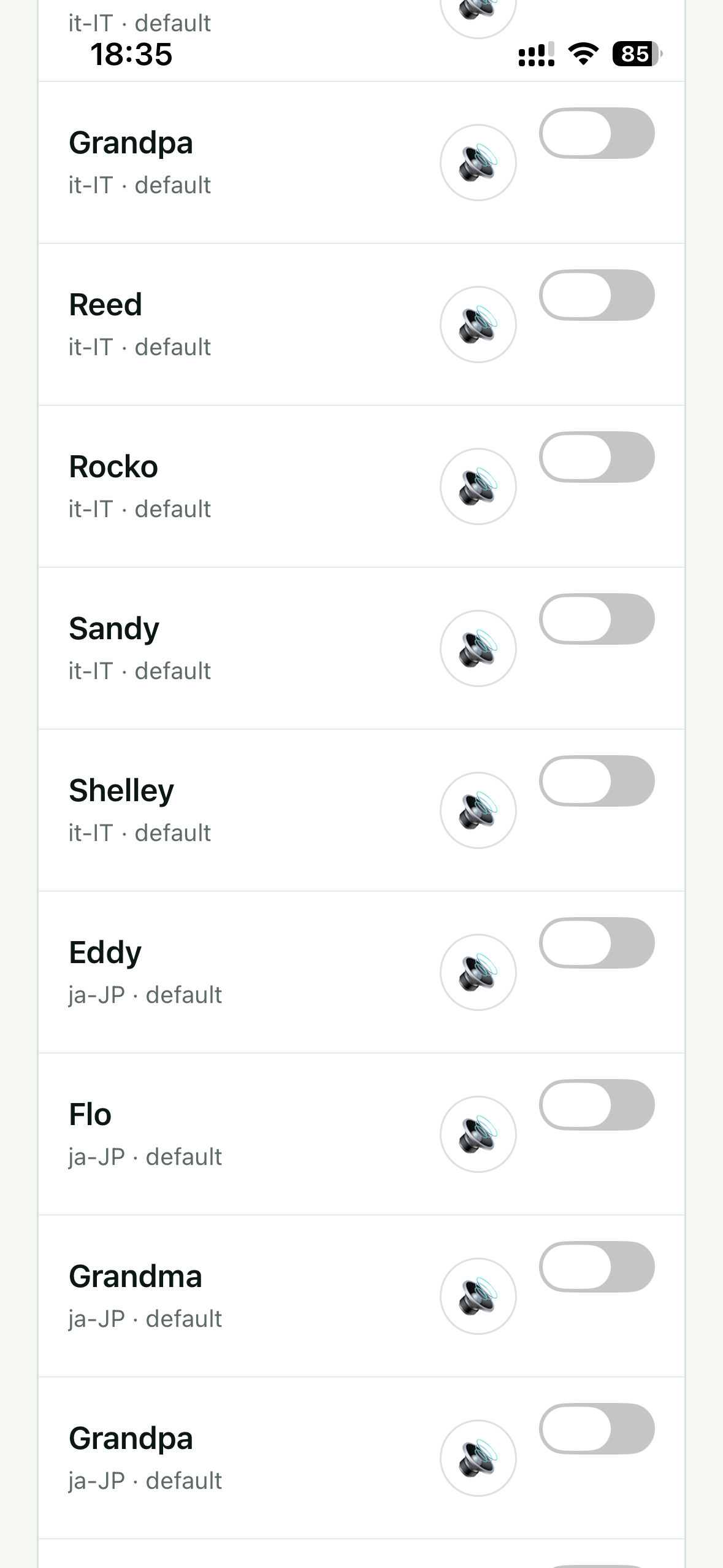
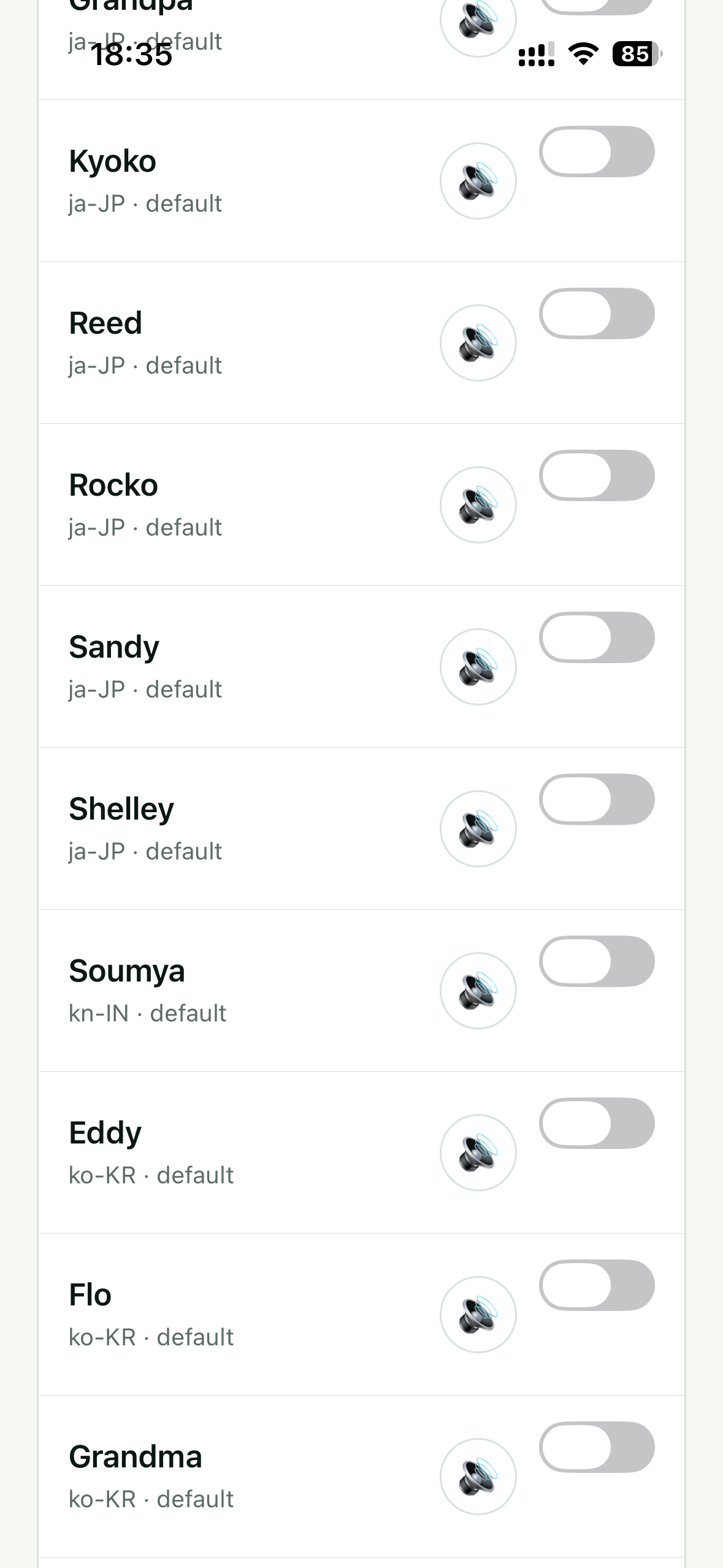
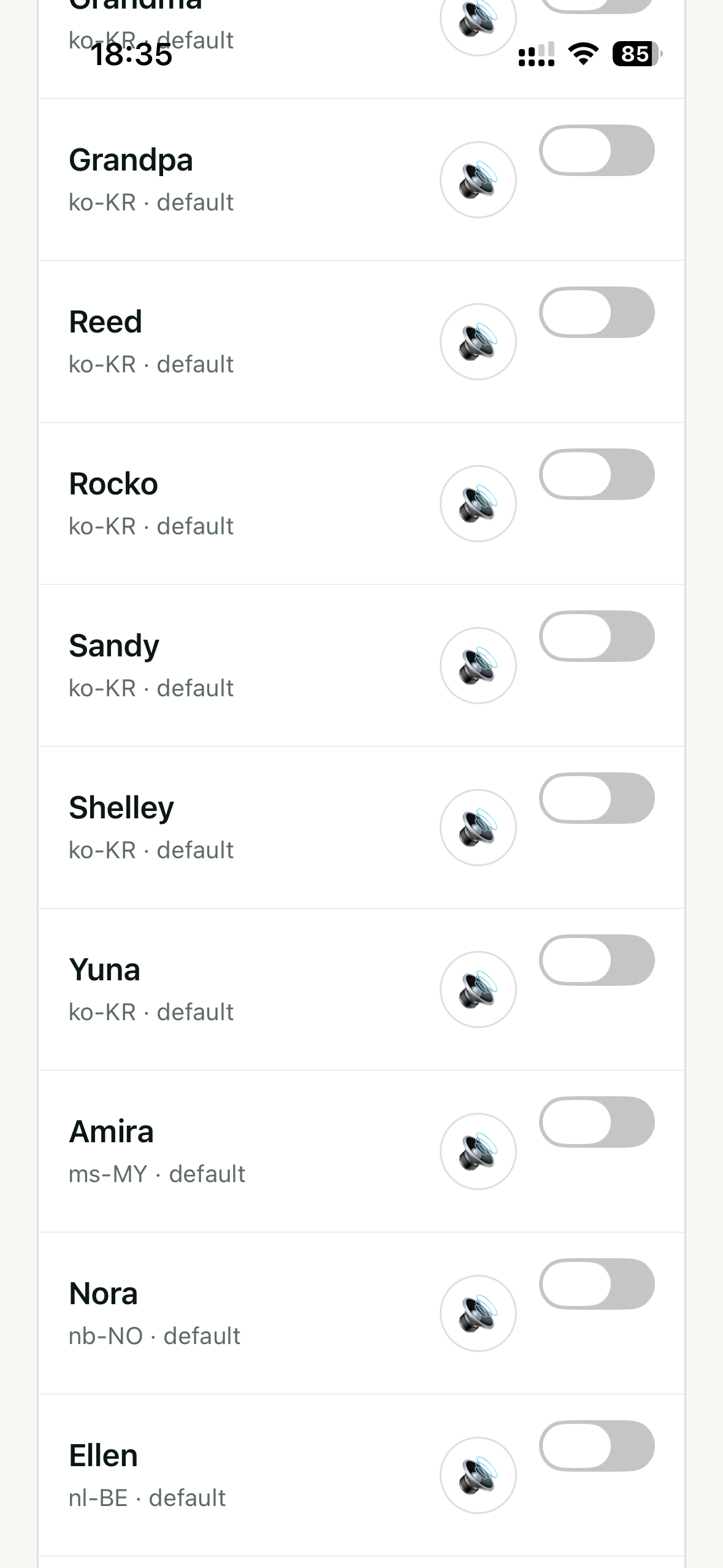
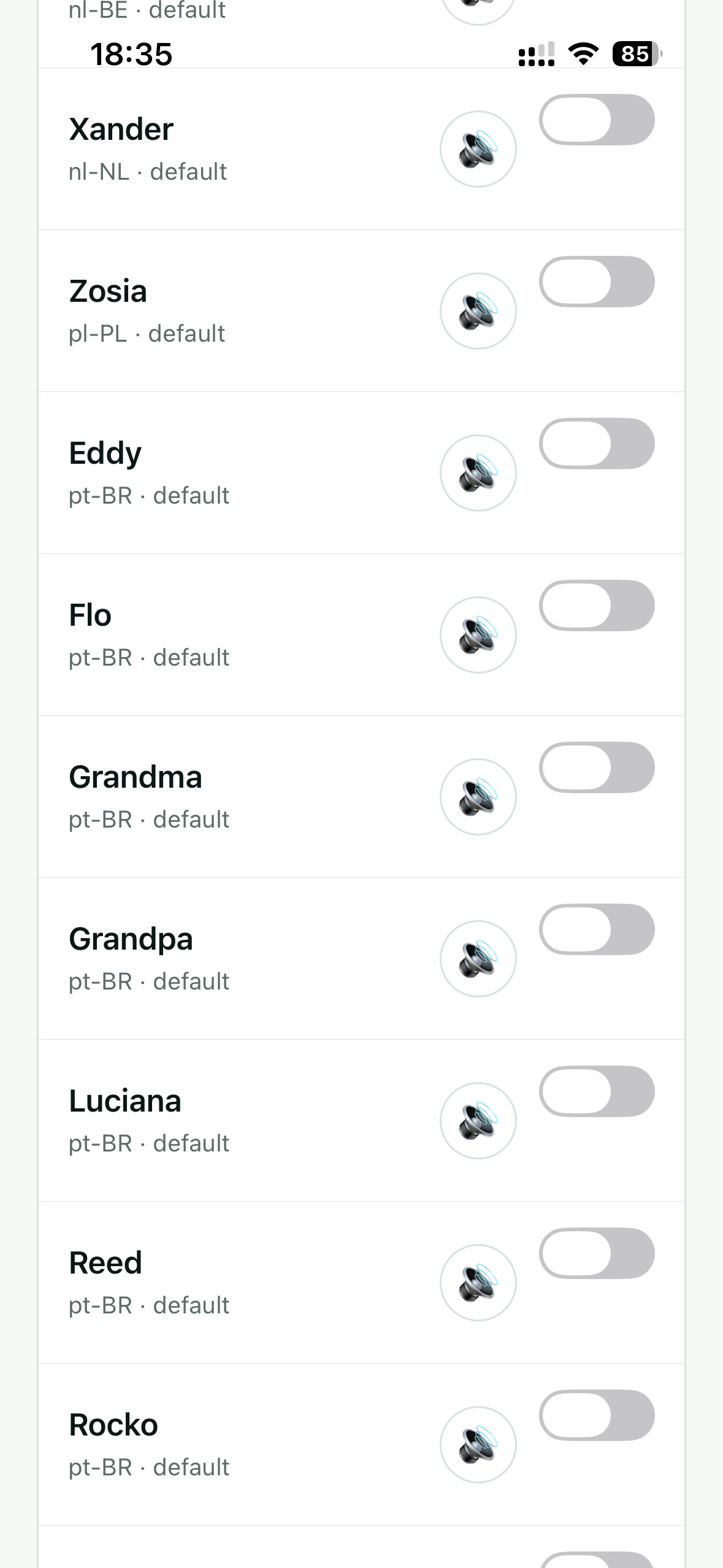
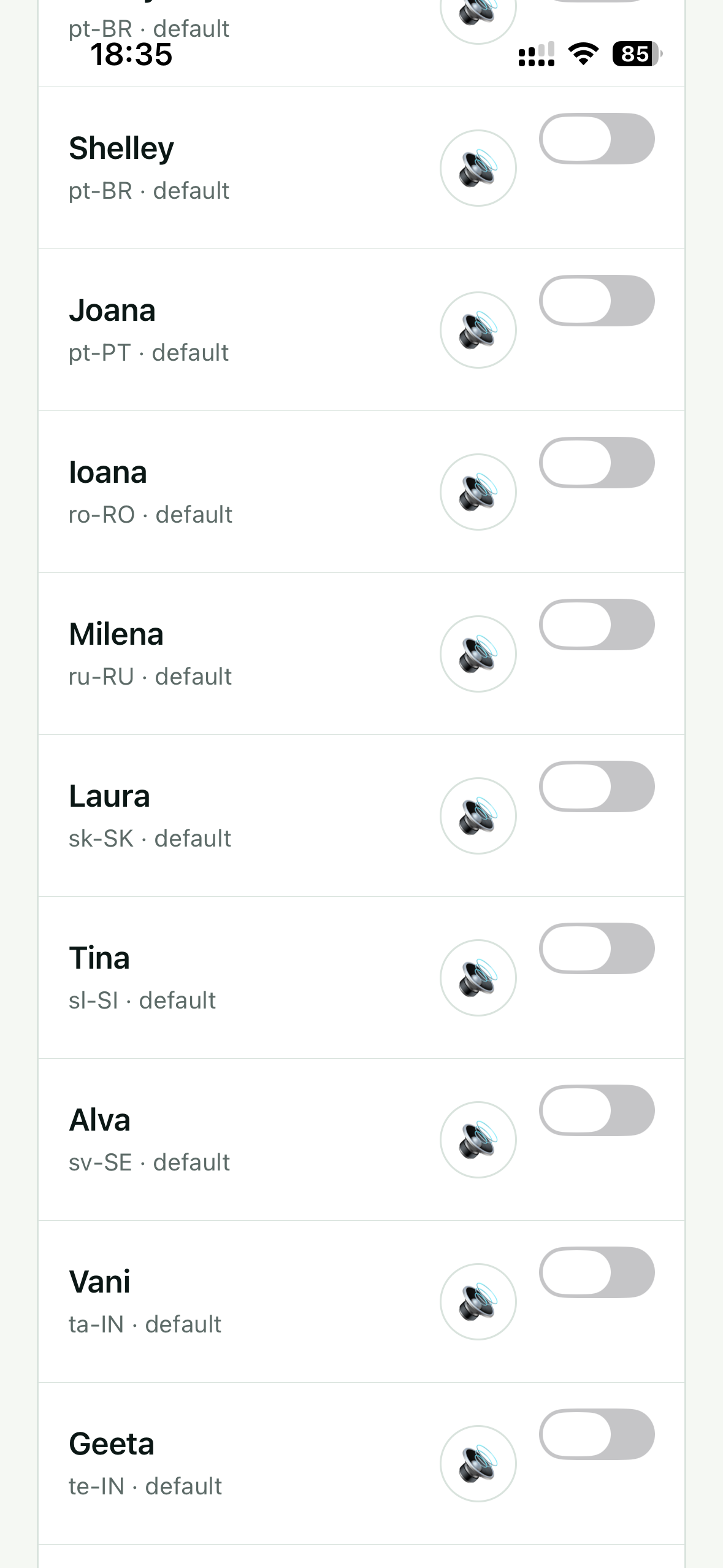
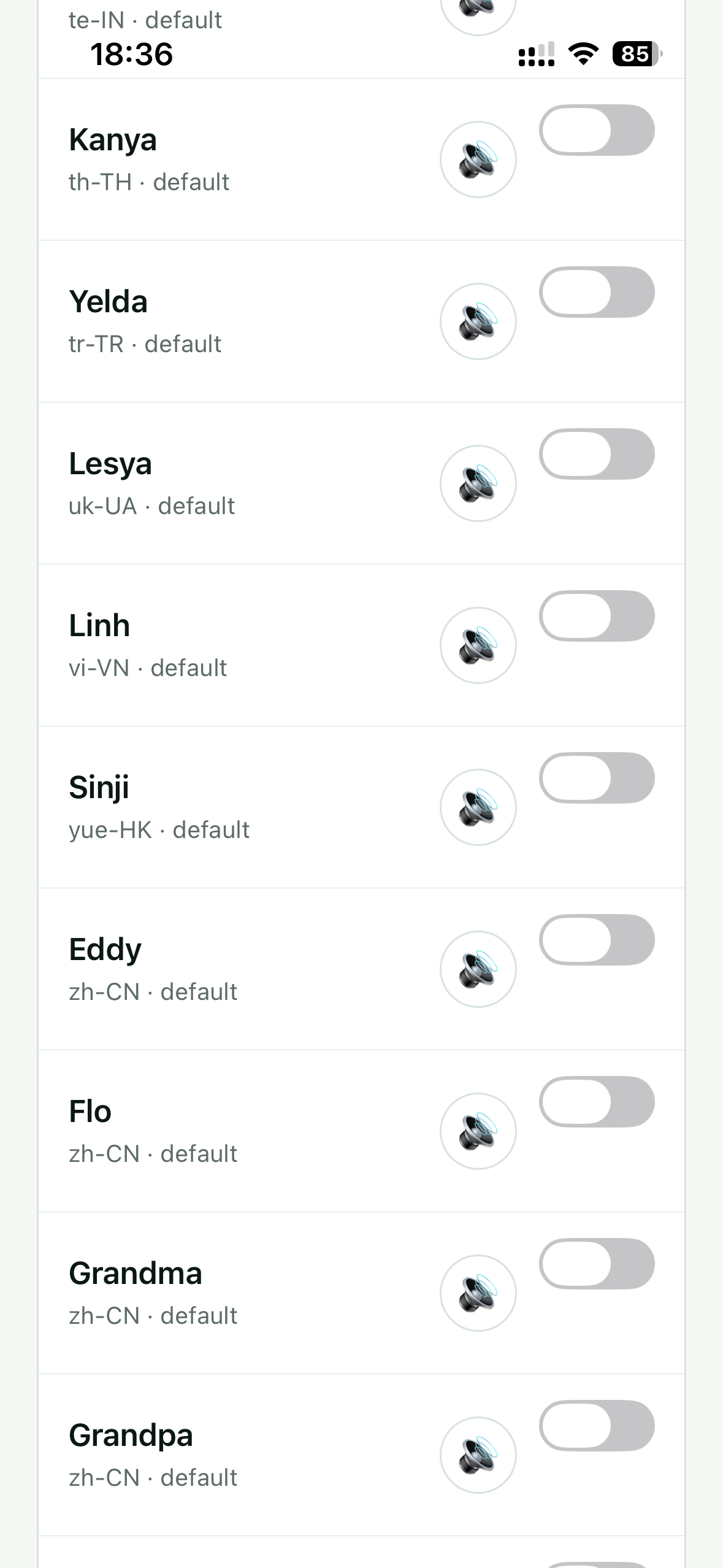
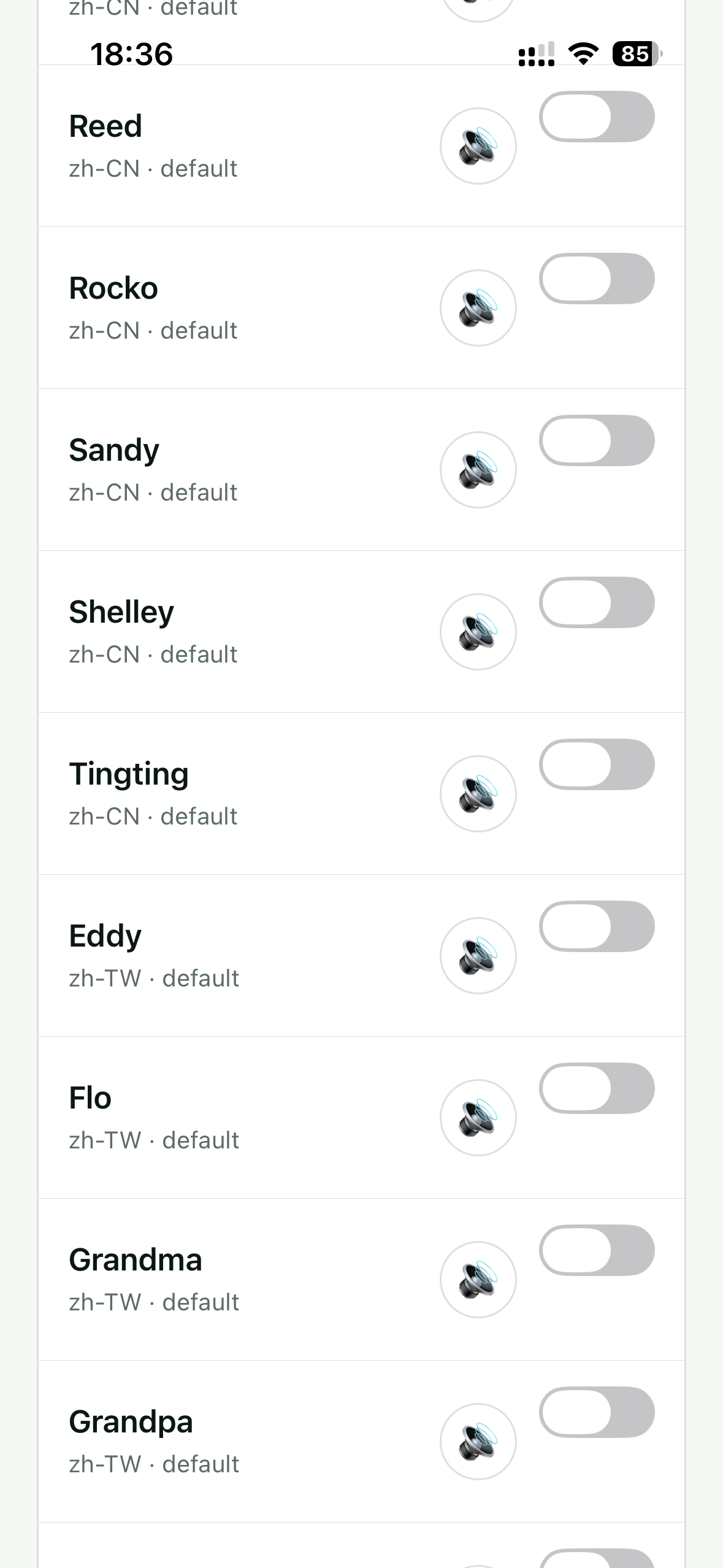
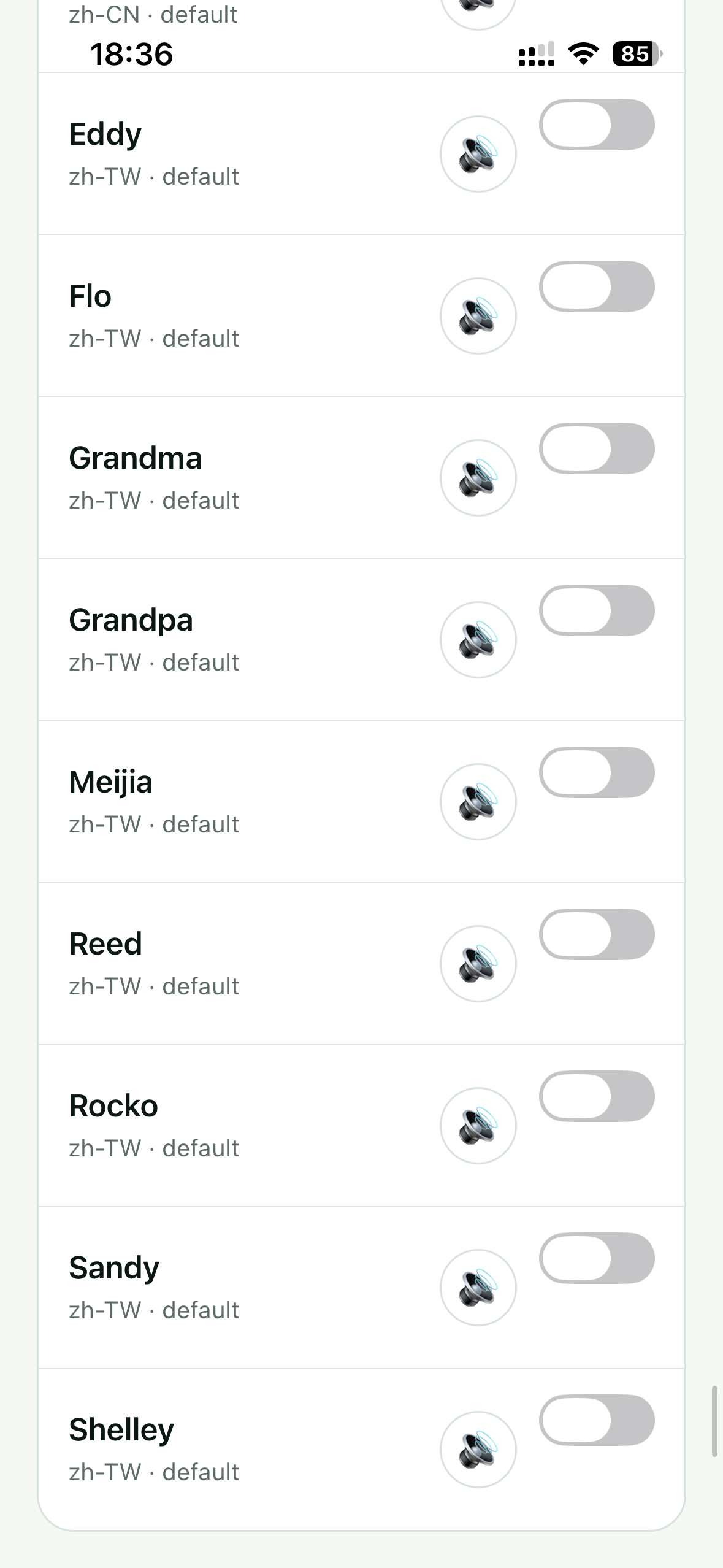
The screenshots captured the following locale options. The codes identify both language and region; they do not guarantee that every phone will show the same named voices.
South Asia
- Bengali — India (bn-IN)
- Hindi — India (hi-IN)
- Kannada — India (kn-IN)
- Tamil — India (ta-IN)
- Telugu — India (te-IN)
English voices
- Australia (en-AU)
- United Kingdom (en-GB)
- Ireland (en-IE)
- India (en-IN)
- United States (en-US)
- South Africa (en-ZA)
Spanish & Portuguese
- Spain (es-ES)
- Mexico (es-MX)
- Brazil (pt-BR)
- Portugal (pt-PT)
French, German & Italian
- French — Canada (fr-CA)
- French — France (fr-FR)
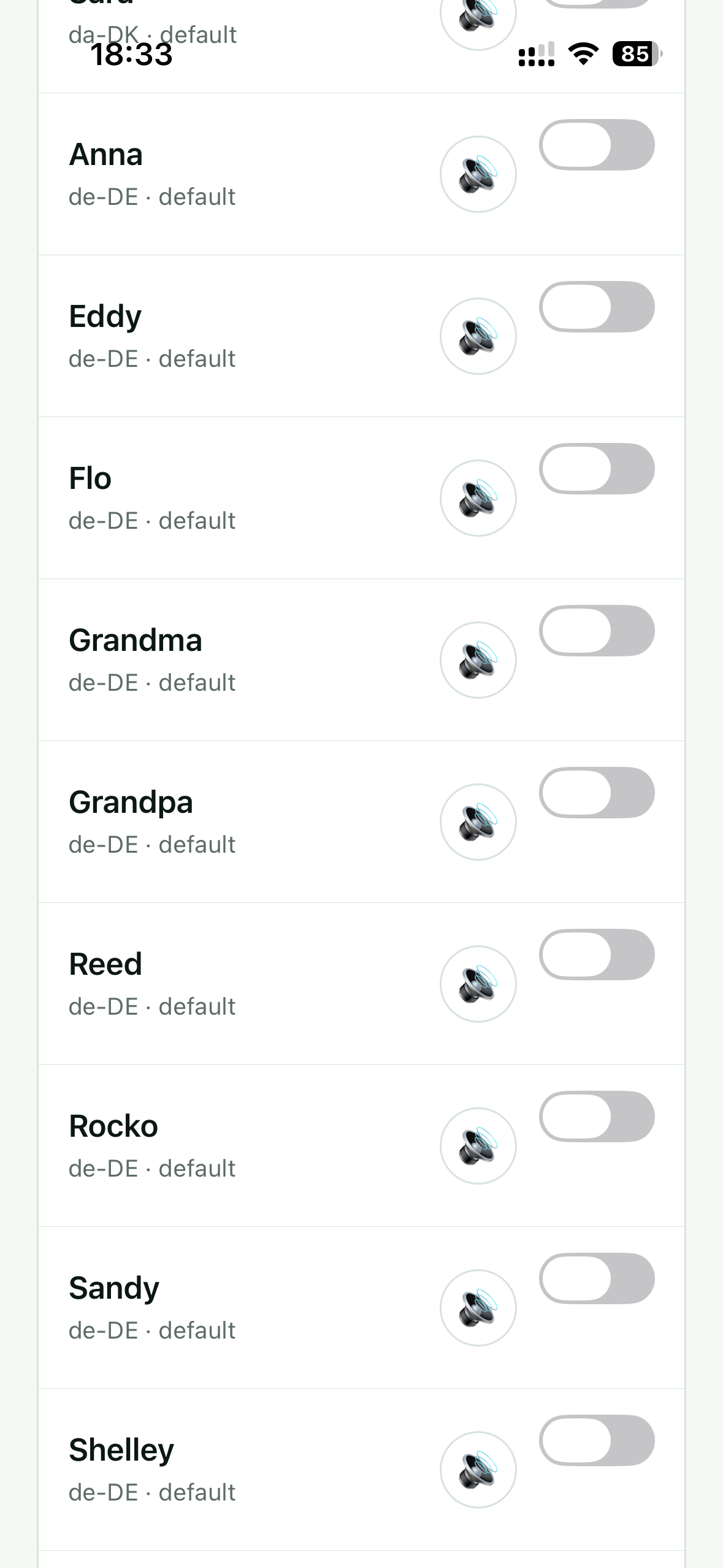
- German — Germany (de-DE)
- Italian — Italy (it-IT)
East & Southeast Asia
- Chinese — China (zh-CN)
- Chinese — Taiwan (zh-TW)
- Cantonese — Hong Kong (yue-HK)
- Japanese — Japan (ja-JP)
- Korean — South Korea (ko-KR)
- Indonesian — Indonesia (id-ID)
- Malay — Malaysia (ms-MY)
- Thai — Thailand (th-TH)
- Vietnamese — Vietnam (vi-VN)
Northern & Western Europe
- Danish — Denmark (da-DK)
- Finnish — Finland (fi-FI)
- Norwegian — Norway (nb-NO)
- Swedish — Sweden (sv-SE)
- Dutch — Belgium (nl-BE)
- Dutch — Netherlands (nl-NL)
- Catalan — Spain (ca-ES)
Central, Eastern & Southern Europe
- Bulgarian — Bulgaria (bg-BG)
- Czech — Czechia (cs-CZ)
- Greek — Greece (el-GR)
- Croatian — Croatia (hr-HR)
- Hungarian — Hungary (hu-HU)
- Polish — Poland (pl-PL)
- Romanian — Romania (ro-RO)
- Russian — Russia (ru-RU)
- Slovak — Slovakia (sk-SK)
- Slovenian — Slovenia (sl-SI)
- Turkish — Türkiye (tr-TR)
- Ukrainian — Ukraine (uk-UA)
Middle East & global
- Arabic — device/global locale (ar-001)
- Hebrew — Israel (he-IL)
Availability boundary: this is evidence from the supplied app screenshots, not a universal compatibility guarantee. Your device may add, remove, rename, download, or upgrade voices independently of Subra AI.
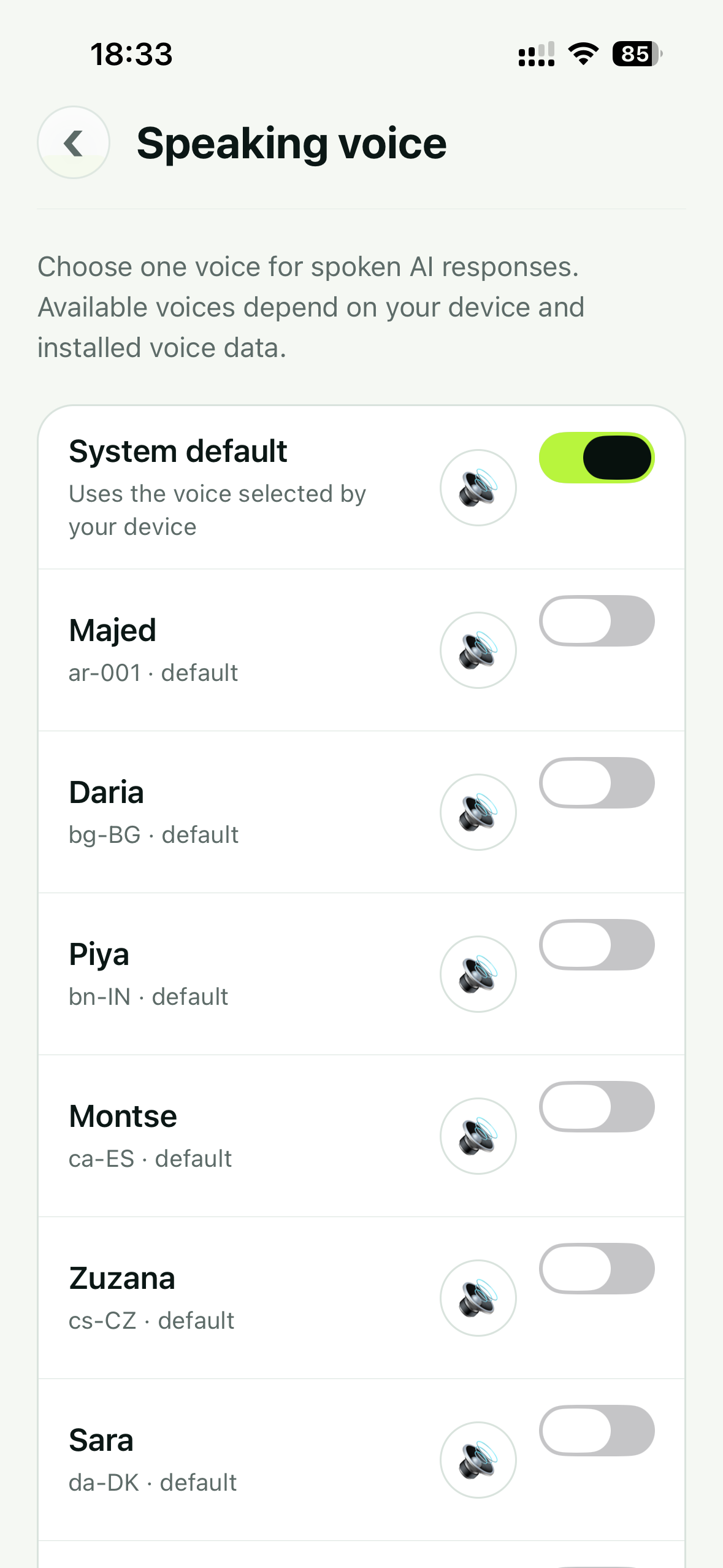
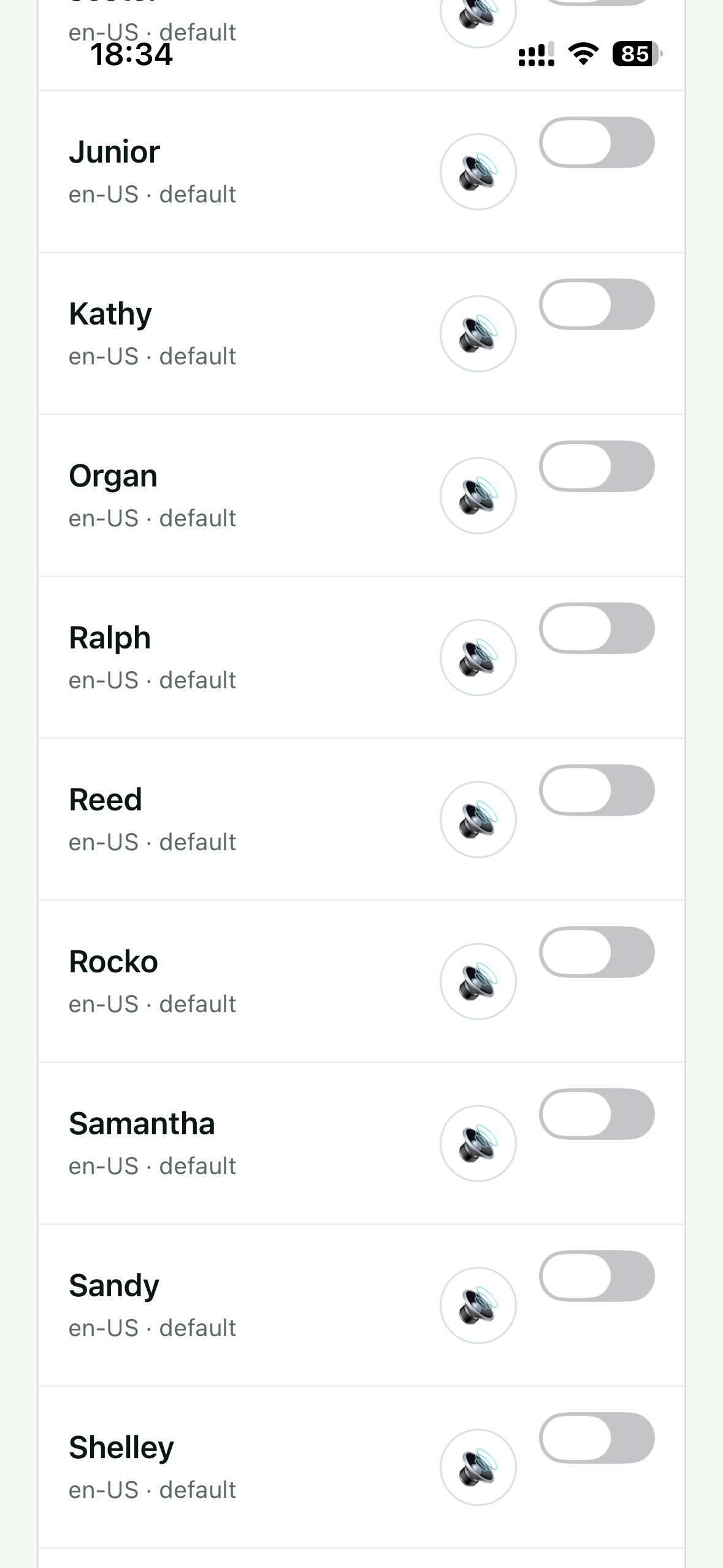
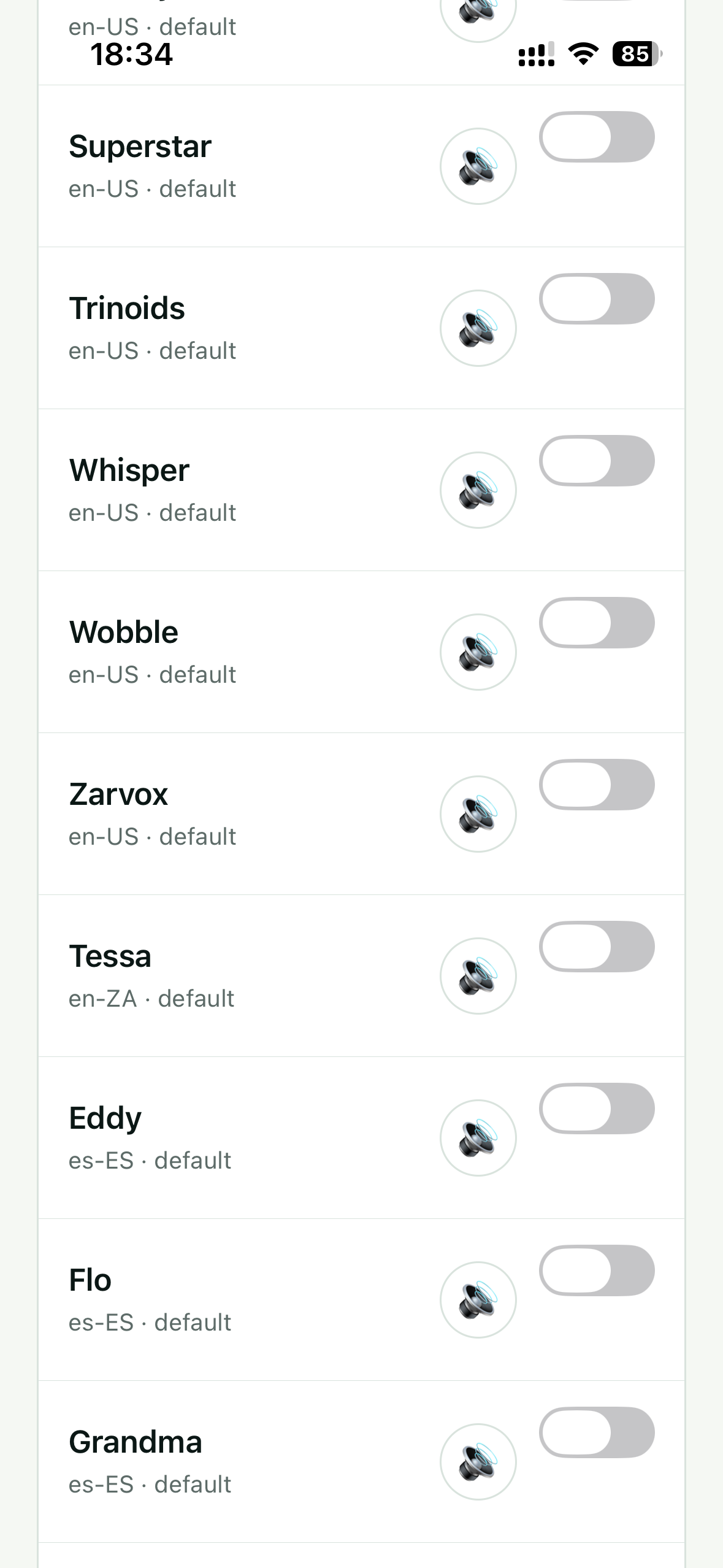
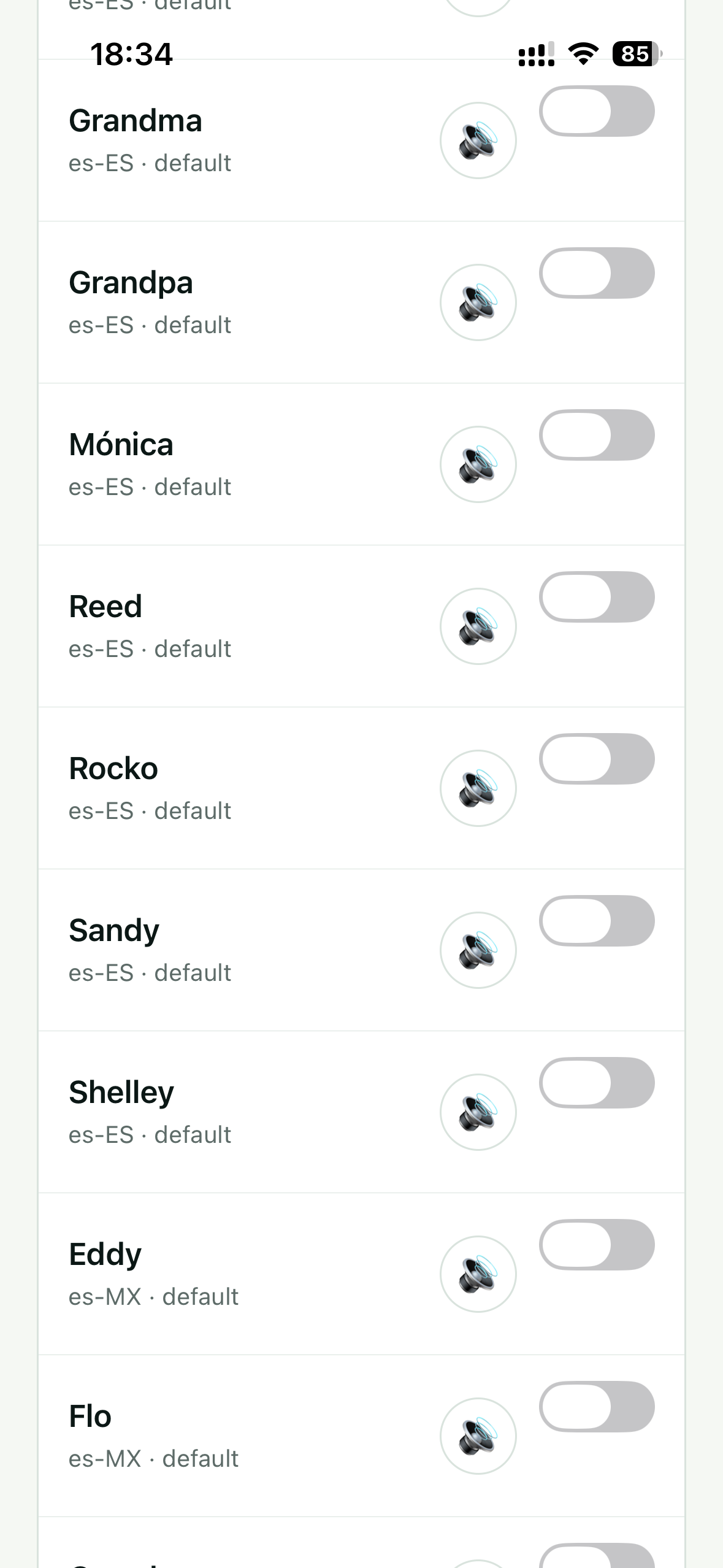
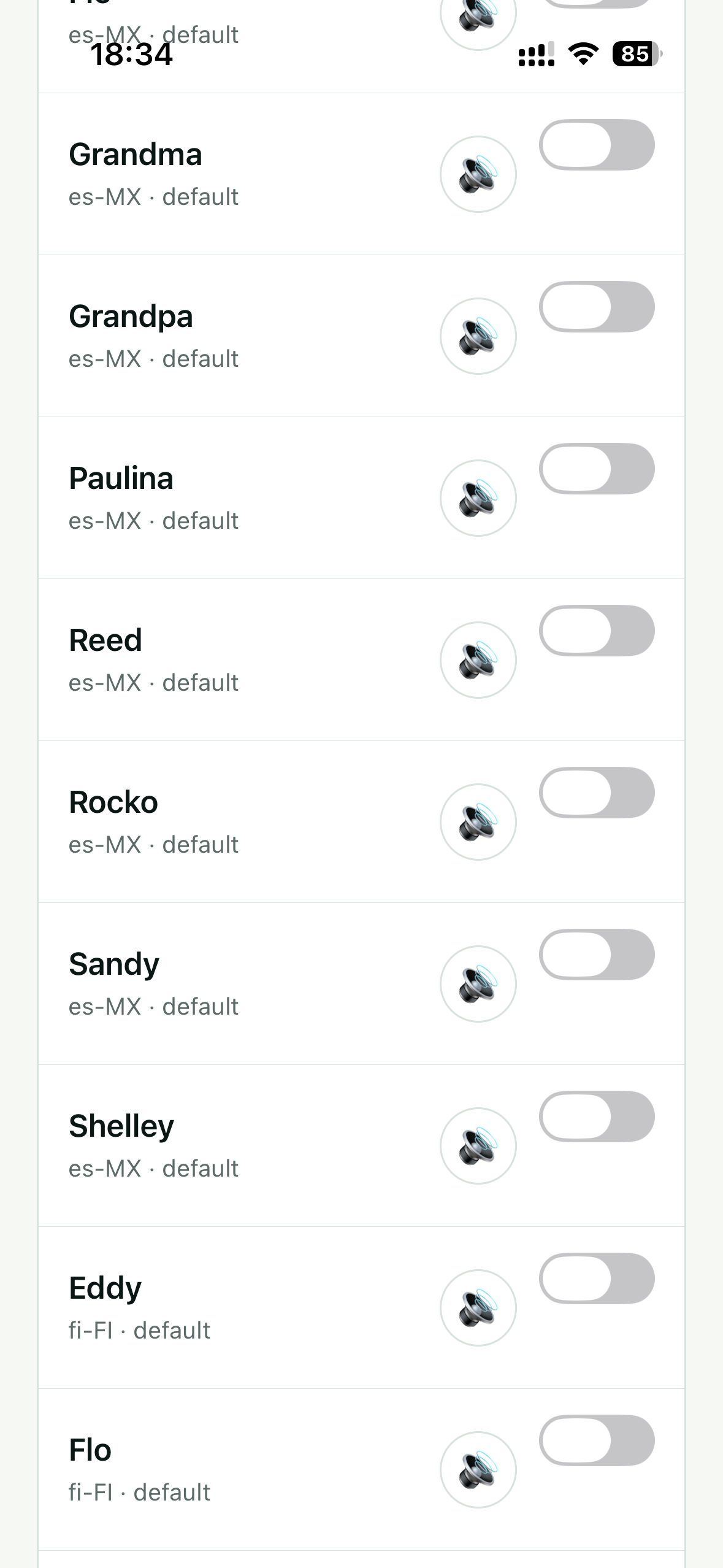
Original app screenshots
See the real voice-selection experience.
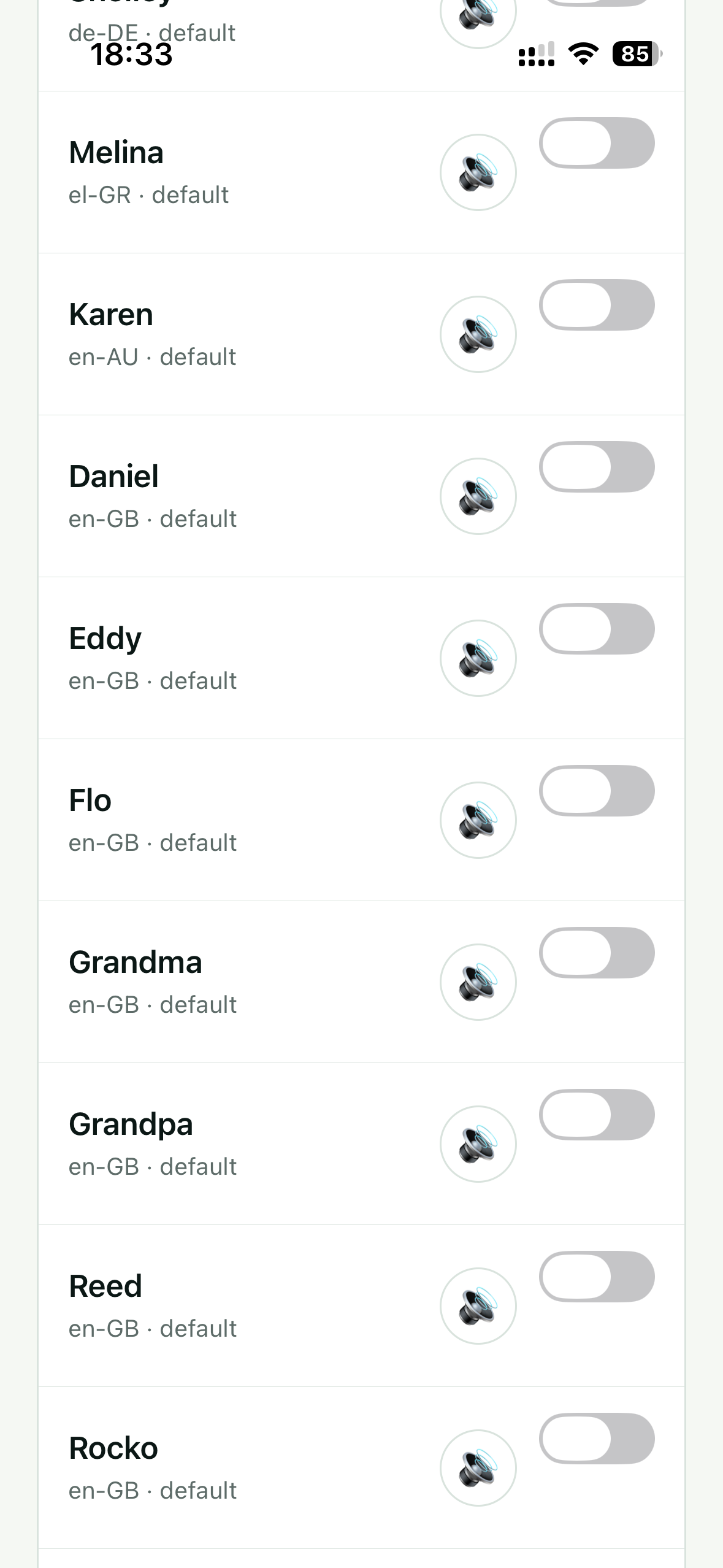
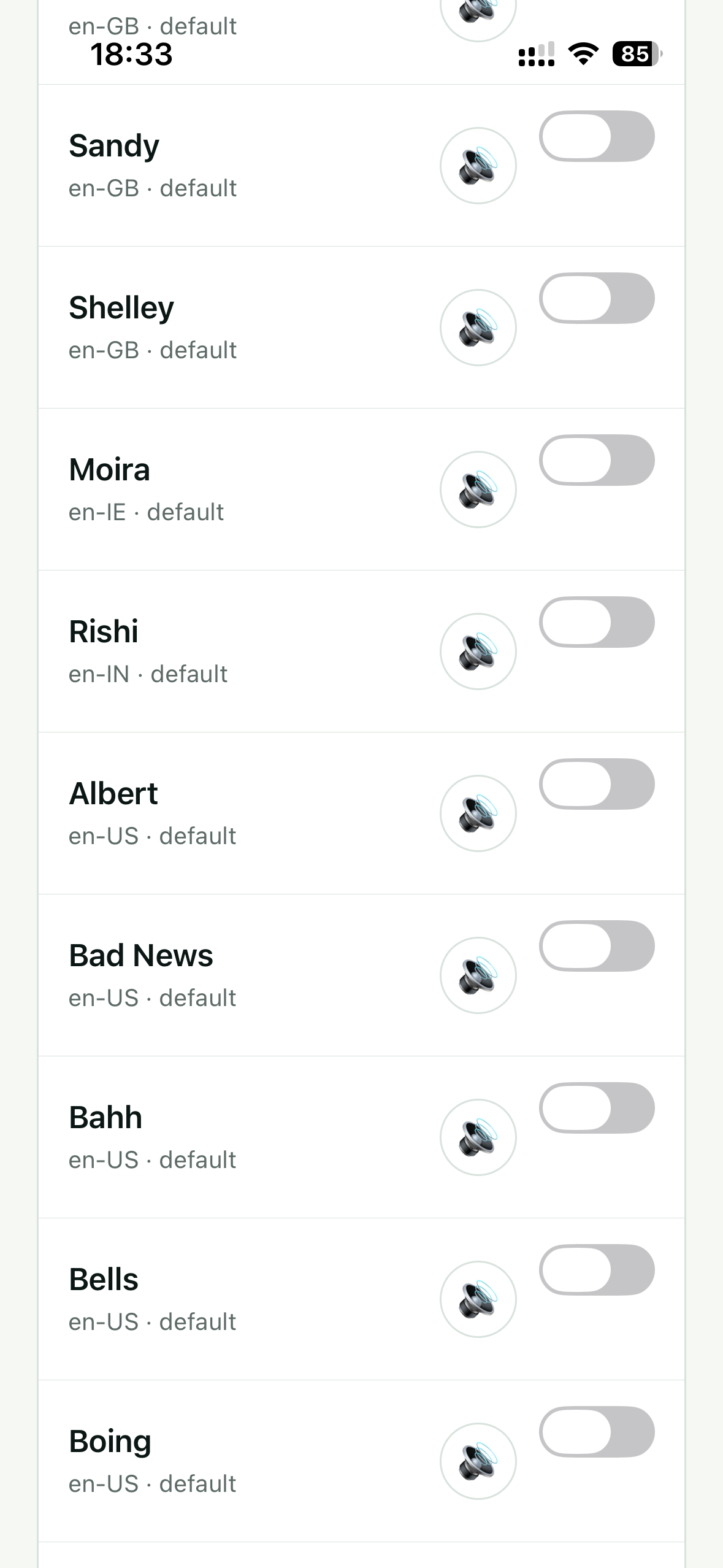
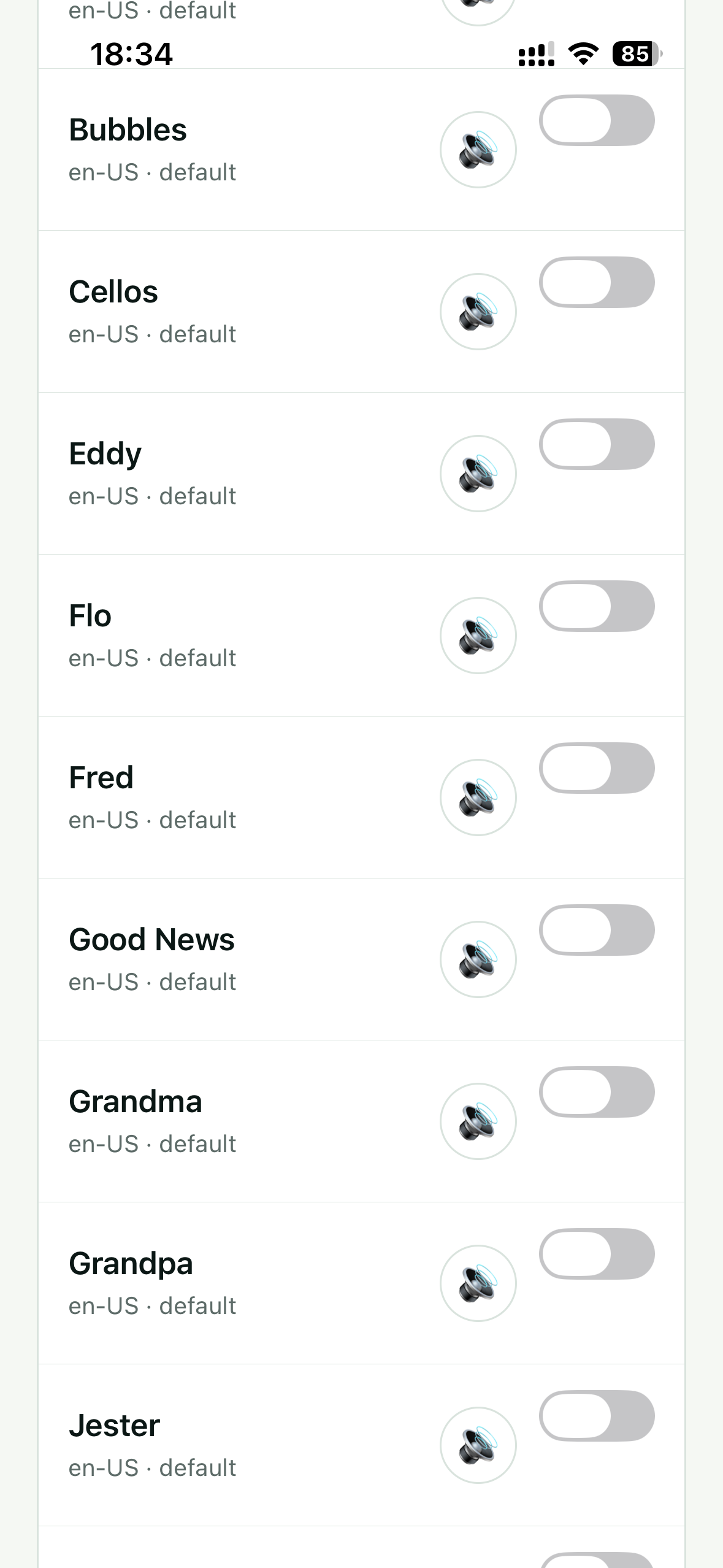
These are original captures of the Speaking voice screen. They show voice previews, locale codes, selection switches, System default, and the range available on the captured device.
Questions people ask Google and AI assistants
Answers before you choose a voice.
How do I change the voice that reads AI responses aloud?
In Subra AI, open Speaking voice, tap the preview button beside a voice, then select the voice you want. The chosen voice is used for spoken AI responses. You can return to System default whenever you prefer your device’s current voice.
Can I choose an AI voice for my country or accent?
Yes, when your device provides it. Subra AI displays installed voices with locale codes such as en-IN for Indian English, en-GB for British English, en-US for American English, es-MX for Mexican Spanish, fr-CA for Canadian French, and pt-BR for Brazilian Portuguese.
Does Subra AI have Hindi, Bengali, Kannada, Tamil and Telugu voices?
The app can show Hindi (hi-IN), Bengali (bn-IN), Kannada (kn-IN), Tamil (ta-IN), and Telugu (te-IN) voices when those speech voices are available on your device. Names and sound quality can differ by operating system and installed voice data.
Which English accents can I use?
The captured device includes English voice locales for Australia, the United Kingdom, Ireland, India, the United States, and South Africa. The exact voice names and accent options available to you depend on your phone.
Can Subra AI speak Spanish, French or Portuguese?
Supported device locales shown include Spanish for Spain and Mexico, French for France and Canada, and Portuguese for Brazil and Portugal. Preview each installed voice before choosing it.
Can it read AI answers in Chinese, Japanese and Korean?
The captured options include Simplified Chinese for China, Traditional Chinese for Taiwan, Cantonese for Hong Kong, Japanese for Japan, and Korean for South Korea. The written response and selected speaking voice should use a compatible language for a natural result.
Does the speaking voice work offline?
Speech can work offline when the selected system voice and its required speech data are already downloaded to your device. Some enhanced voices may require an initial download or may rely on operating-system services.
Are the voice names the same on every iPhone or Android phone?
No. Available voices depend on the device, operating system version, language settings, region, and installed voice data. The screenshots document one device’s available list; your list may be different.
Is Subra AI cloning a real person’s voice?
This voice picker selects text-to-speech voices supplied by the device. It is not presented as voice cloning, celebrity imitation, or a promise to reproduce a particular person’s identity.
Why should I listen to an AI response instead of reading it?
Listening can help while walking, cooking, commuting, reviewing long answers, practicing pronunciation, or using a screen less. A familiar language or regional voice can also make spoken information easier to follow.
Can I preview voices before selecting one?
Yes. Use the speaker preview control shown beside each available voice, compare the sound, then enable the one you prefer.
Is the feature free?
Subra AI is available as a free download. Store availability, app features, and any future terms can vary by platform and version; check the current App Store or Google Play listing for details.
Your AI, now easier to hear
Choose a voice and keep moving.
Download Subra AI, preview the speaking voices available on your phone, and listen to useful answers in the language or regional voice that works for you.