Paid once · Private forever
Remove the background.
Keep every photo private.
Transform photos in seconds with a focused, AI-powered editor for professional cutouts and clean compositions. Everything runs offline on your iPhone—no account, no cloud processing, and no subscription.
Get unlimited premium access without monthly fees, daily limits, accounts, or hidden export charges.
No accounts, sign-ups, or cloud processing. Photos stay on your device.
Start with an AI cutout and refine complex details with hands-on controls.
No subscription, daily caps, or watermark on your high-resolution exports.
Complete feature workflow
From source photo to finished cutout in six focused steps.
Fast automatic processing meets the precision controls needed for professional results.
- 01
Choose a photo
Select a portrait, product, animal, or object from your device. Your source image stays on your iPhone.
- 02
Remove the background
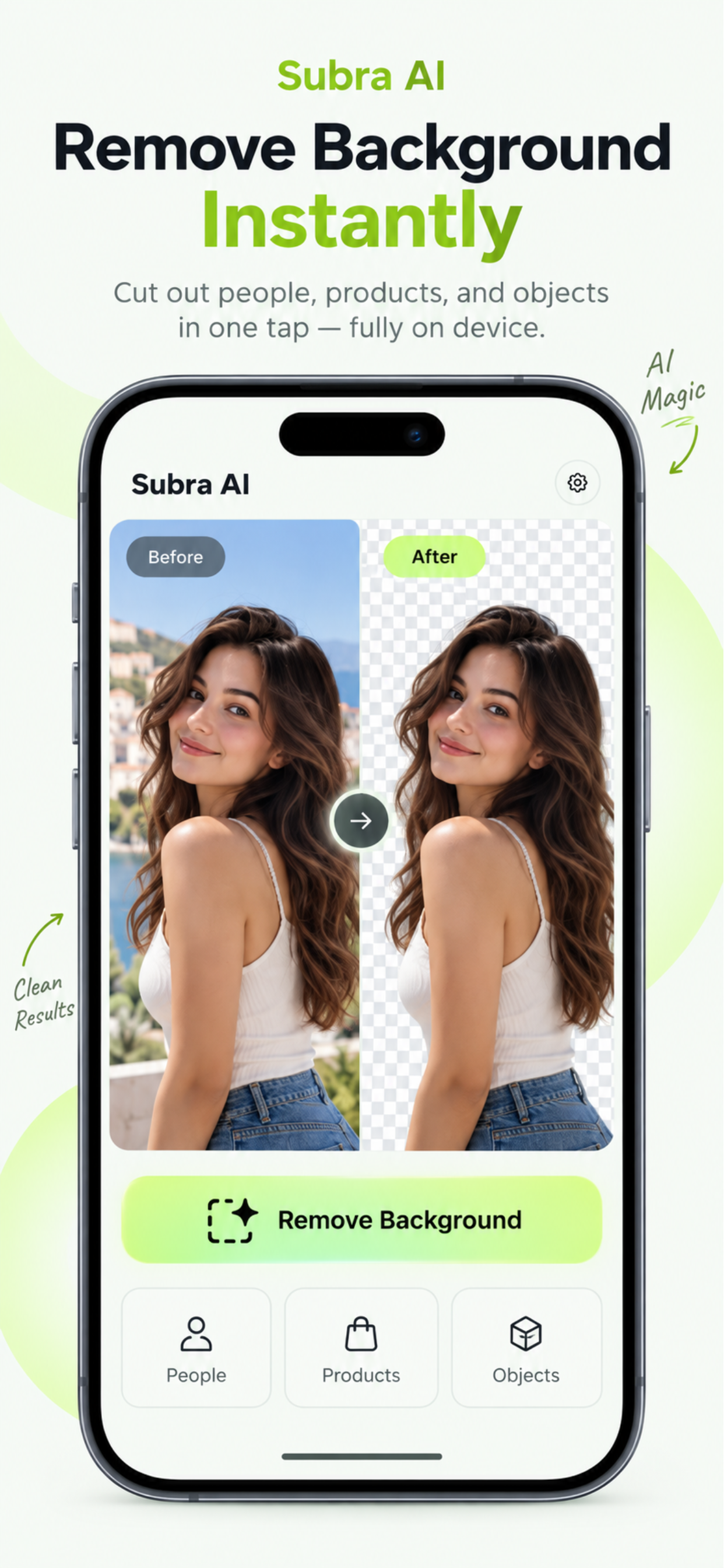
On-device machine learning separates the subject and prepares a transparent, high-resolution cutout.
- 03
Inspect the result
Drag the split-view divider to compare the original photo with the processed result.
- 04
Refine difficult details
Erase unwanted areas, restore the subject, and tune threshold, softness, cleanup, refinement, and color spill.
- 05
Replace and arrange
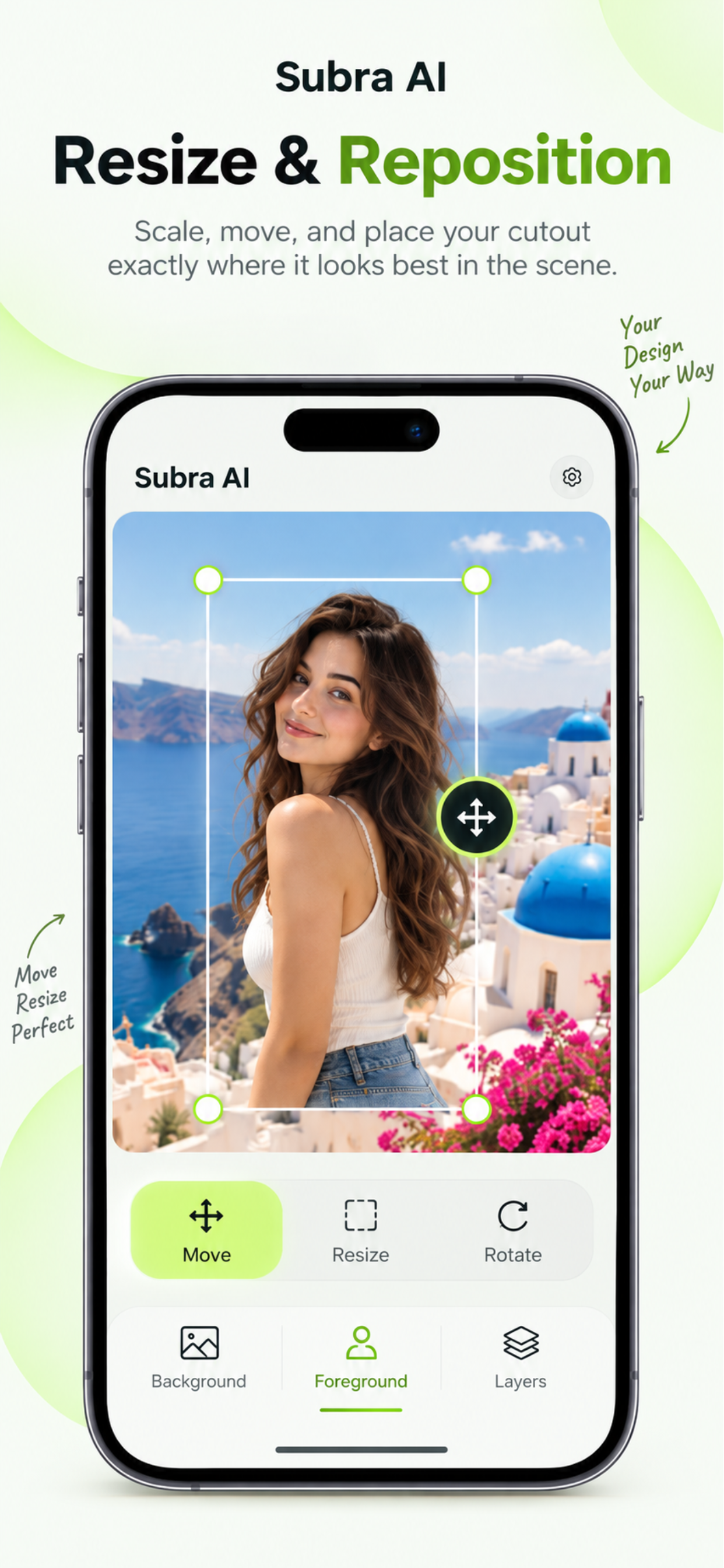
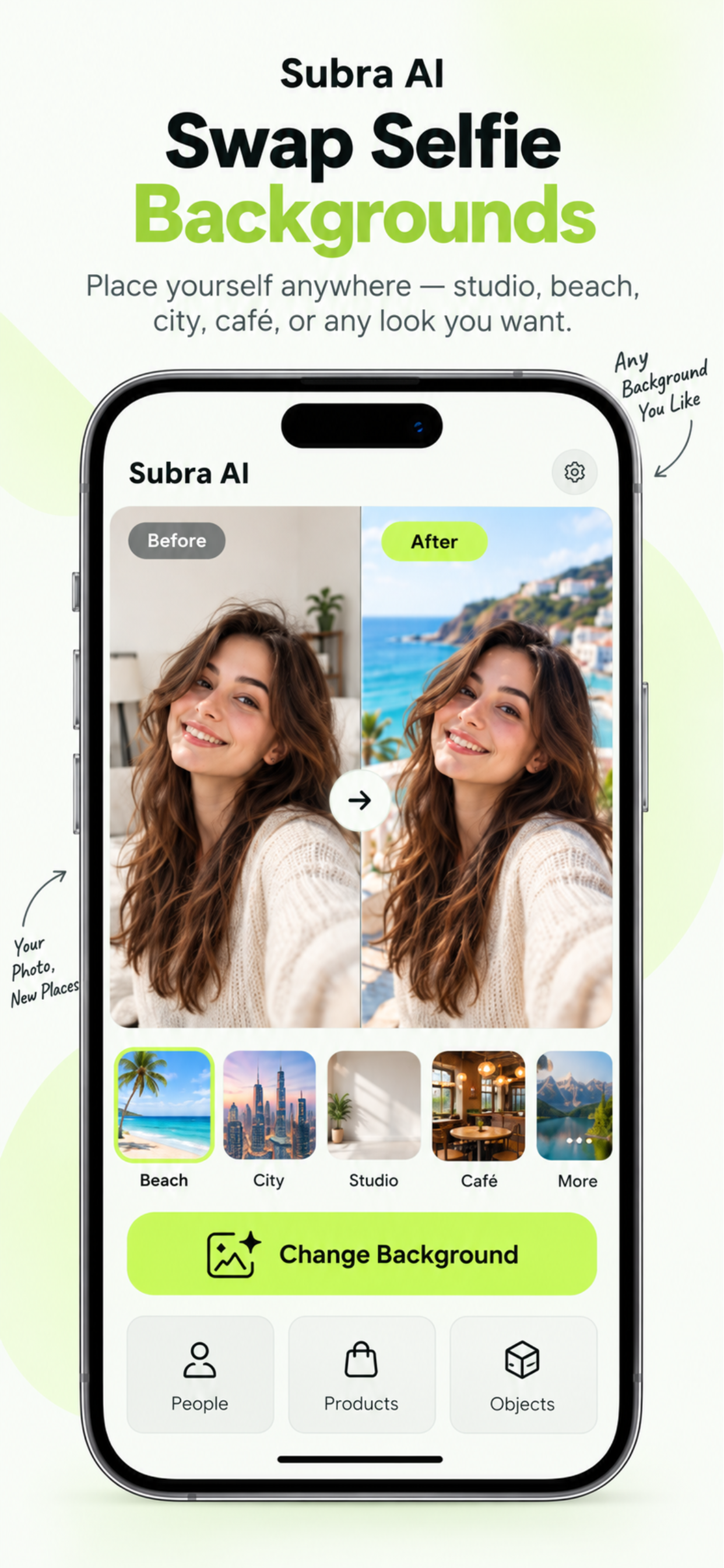
Keep transparency or add your own background, then resize, rotate, and position the subject precisely.
- 06
Export without a watermark
Save the finished image at high resolution with no recurring subscription and no export limits.
More than background removal
Transparent is only the beginning.
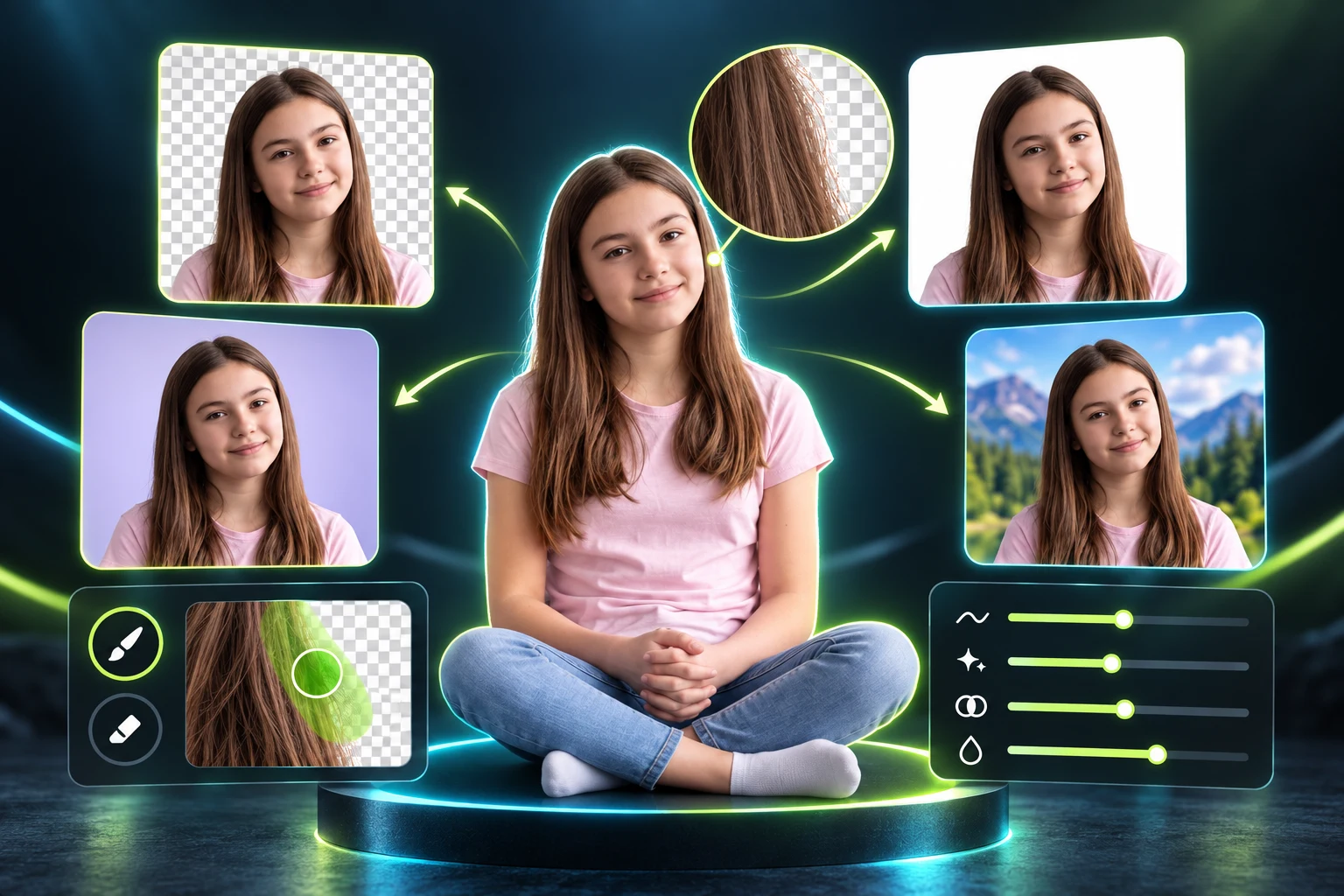
Prepare marketplace listings, thumbnails, collages, marketing graphics, profile photos, and reusable design assets.
- Transparent PNG makerExport a clean cutout ready for design layouts, stickers, logos, and digital marketing.
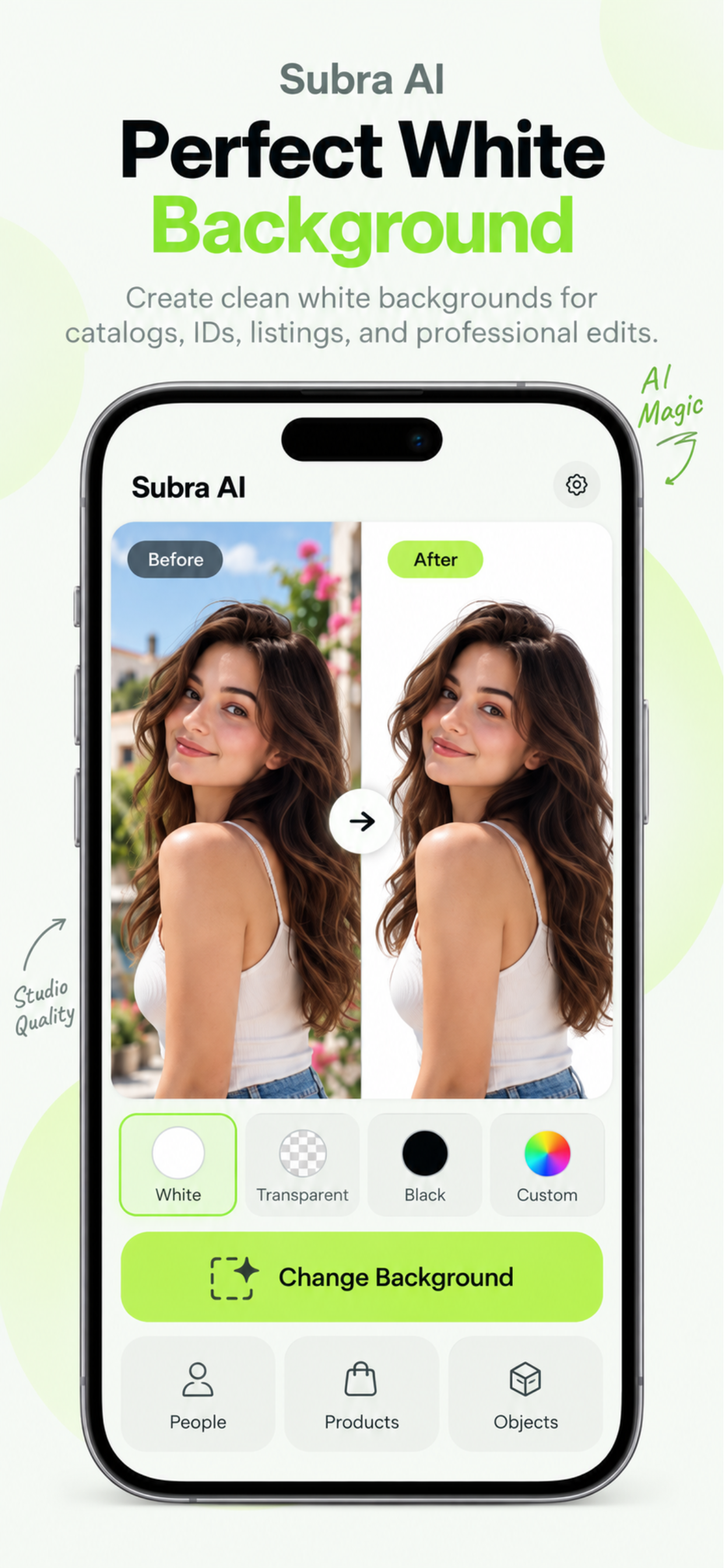
- Perfect white backgroundsCreate crisp product imagery for Amazon, eBay, Etsy, Poshmark, and catalog use.
- Your own replacement imageSwap distracting scenes for a custom photo, texture, or branded composition.
The real app, end to end
Every important control stays close to the image.
See edge refinement, subject placement, background replacement, and clean white-background creation.
Precision when one tap is not enough
Keep the speed. Take back the edges.
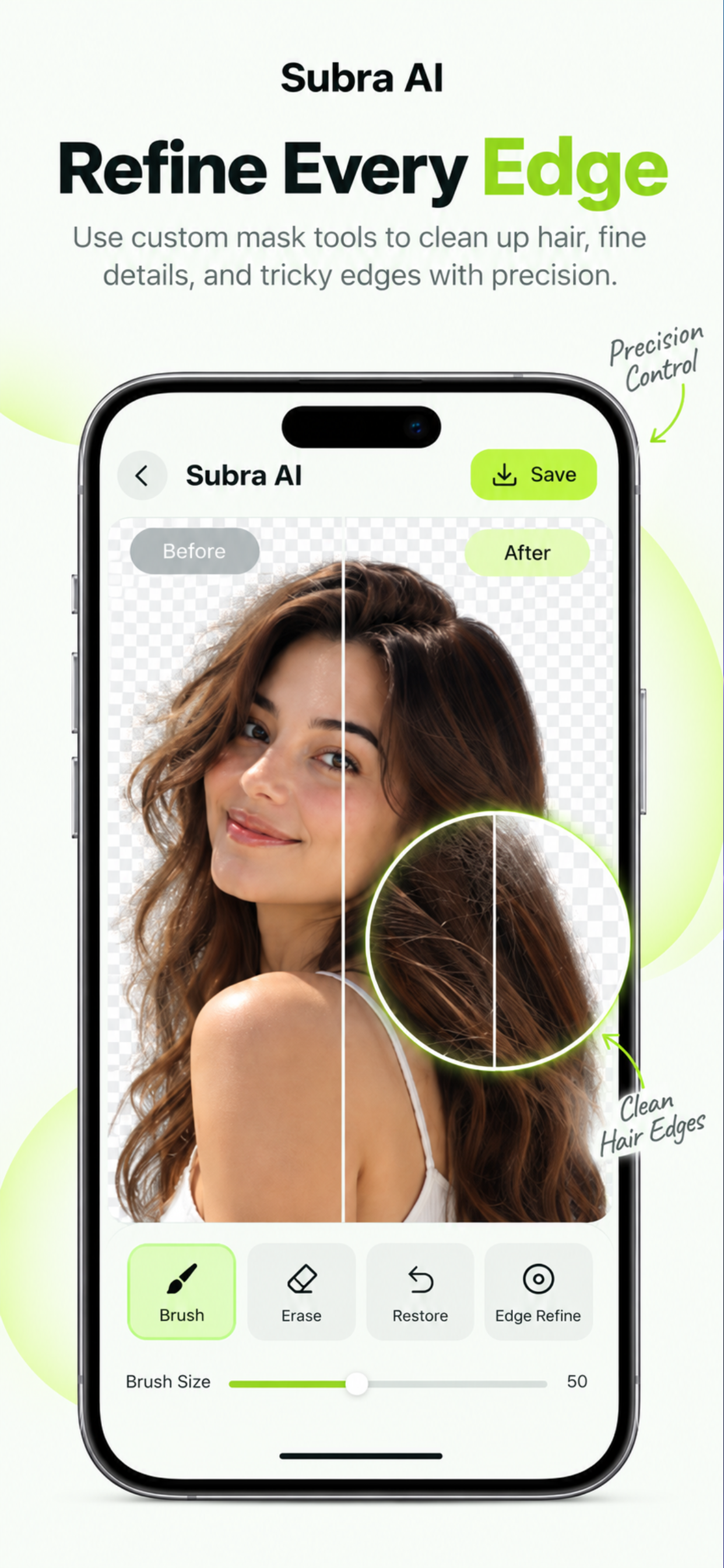
Automatic segmentation gets you started; practical controls let you finish hair, fur, clothing folds, product corners, and complex boundaries.
Refine the mask
Erase background remnants or restore parts of the subject with hard or soft brushes.
Adjust the edge
Tune threshold, softness, cleanup, refinement, and color-spill removal.
Start with a preset
Natural, Sharp, and Hair Detail give you sensible starting points.
Why professionals choose Subra AI
Professional image utility without a privacy trade.
E-commerce owners can create crisp listing photos. Content creators can prepare thumbnails and collages. Designers can make reusable transparent graphics—all without feeding private or unreleased imagery into a cloud service.
Work anywhere, including without network access. There are no accounts, processing caps, monthly plans, or watermarked exports.
Honest boundary: hair, fur, motion blur, transparent objects, shadows, and low-contrast edges can still require manual refinement. The app includes those controls instead of pretending every automatic cutout is perfect.
Frequently asked questions
Everything to know before your first cutout.
Are my photos uploaded to a server?
No. The editing workflow runs locally on your device. Your selected photos do not need to leave your iPhone for background removal or replacement.
Does the app require an account?
No account, profile, email address, or sign-up is required. Download the app and start editing.
Is this a subscription?
No. Subra AI: Background Remover is designed as a one-time purchase with unlimited lifetime use of the included features—without monthly subscription fees.
Will exported images contain a watermark?
No. The standalone paid app exports clean, watermark-free images. The free background-removal experience in the main Subra AI app includes a watermark.
Can I create transparent PNGs and white backgrounds?
Yes. Export a transparent PNG, use a clean white background for product listings, or choose your own replacement image.
Can I correct hair and difficult edges?
Yes. Natural, Sharp, and Hair Detail presets provide starting points, while mask and edge controls let you refine difficult boundaries manually.
Try before you buy
Test the core AI in the free Subra AI app.
The master app includes a limited version of background removal so you can test the experience first. Free exports include a watermark; the standalone paid app removes it.